
Sponsored byMixinflow
Video GenerationAI Image EnhancementApproved
AI Hug Video Generator: Deep Nostalgia Inspired icon

AI Hug Video Generator: Deep Nostalgia Inspired

AI Hug is an AI-powered creative studio designed to transform static photographs

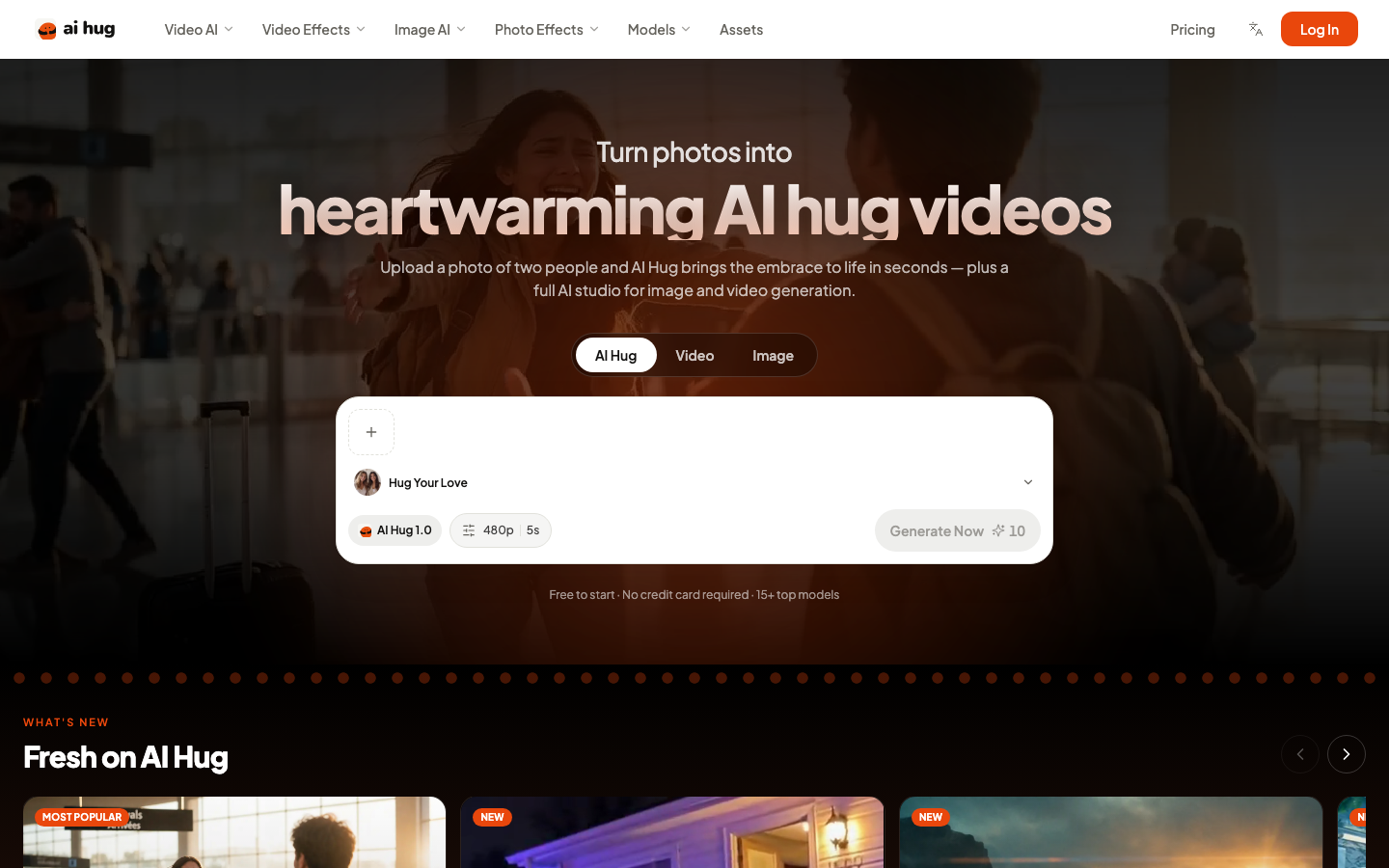
AI Hug is an AI-powered creative studio designed to transform static photographs into dynamic, lifelike video animations. Specializing in emotional interactions, the platform allows users to upload images of two people and instantly generate warm, hugging sequences inspired by deep nostalgia techniques. Beyond its signature animation feature, AI Hug provides a comprehensive suite for modern digital content creation, including advanced text-to-video and image-to-video conversion tools. Users can leverage multiple high-performance models to add natural motion, depth, and cinematic effects to the

AI Hug Video Generator: Deep Nostalgia Inspired screenshot

What is AI Hug Video Generator: Deep Nostalgia Inspired?

AI Hug is an AI-powered creative studio designed to transform static photographs into dynamic, lifelike video animations. Specializing in emotional interactions, the platform allows users to upload images of two people and instantly generate warm, hugging sequences inspired by deep nostalgia techniques. Beyond its signature animation feature, AI Hug provides a comprehensive suite for modern digital content creation, including advanced text-to-video and image-to-video conversion tools. Users can leverage multiple high-performance models to add natural motion, depth, and cinematic effects to the

At a Glance

Pricing
Not specified
Status
Approved
Platform
Web
Category
Video Generation, AI Image Enhancement
Tags
ai-studio, animation, image-to-video, photo-effects, text-to-video, video-generation

Why Choose AI Hug Video Generator: Deep Nostalgia Inspired

Hug Animation Generation

Upload a photograph featuring two individuals and watch AI Hug automatically animate them embracing in a smooth, lifelike sequence. The system applies realistic movement patterns and facial expressions to create emotionally resonant video c

Image to Video Conversion

Transform any uploaded picture into a short, high-quality video clip within seconds. The engine analyzes visual elements to generate natural motion, atmospheric depth, and cinematic transitions while preserving the original composition and

Text to Video Creation

Describe a desired scene using simple text prompts and let the platform construct a complete video sequence. Users select from various AI models to control pacing, style, and audio integration directly from written descriptions.

Multi-Model Studio Access

Choose from over fifteen specialized AI architectures tailored for different creative outputs. Each model offers distinct rendering capabilities, allowing users to optimize results for specific aesthetic preferences, resolution requirements

Reference Consistency Tools

Maintain character and environmental continuity across generated frames by utilizing reference images, videos, or audio files. This feature ensures that subjects remain visually stable throughout longer sequences or multi-shot productions.

How to Use AI Hug Video Generator: Deep Nostalgia Inspired

  1. 1

    Upload Source Image

    Navigate to the main dashboard and select the photo containing the subjects you wish to animate.

  2. 2

    Select Animation Type

    Choose the hug generator option or switch to general video creation modes based on your project requirements.

  3. 3

    Configure Model Settings

    Pick a preferred AI architecture from the available library and adjust output parameters like resolution and duration.

  4. 4

    Generate and Export

    Click the creation button to process the request, then download the finished video file once rendering completes.

Best For

  • Family Memory Preservation

    Who: Individuals and families · Convert old group photographs into moving clips that capture emotional moments and preserve personal history.

  • Social Media Content Creation

    Who: Digital influencers and marketers · Produce engaging, animated video posts quickly without requiring traditional filming equipment or complex editing workflows.

  • Educational Presentation Materials

    Who: Teachers and corporate trainers · Animate historical figures or conceptual diagrams to make instructional slides more dynamic and retain audience attention.

  • Personalized Gift Production

    Who: Event planners and gift shoppers · Create custom animated keepsakes featuring loved ones for birthdays, anniversaries, and holiday celebrations.

Frequently Asked Questions About AI Hug Video Generator: Deep Nostalgia Inspired

Does AI Hug require professional video editing skills?

No, the platform operates through a fully automated interface that handles all rendering, motion tracking, and effect application without manual intervention.

What input formats are supported for video generation?

Users can upload standard image files such as JPEG or PNG, and provide text prompts or reference media depending on the selected creation mode.

How many AI models are available for different projects?

The studio currently includes over fifteen specialized models optimized for varying styles, resolutions, and motion complexities.

Is there a cost to begin using the platform?

New accounts receive ten free generations upon registration, and no payment information is required to access the initial trial credits.

Can I maintain consistent characters across multiple video clips?

Yes, the reference consistency tools allow you to lock facial features and clothing details using provided image or video references.

What is the maximum video length supported?

Depending on the selected model, outputs typically range from five to thirty seconds, with some configurations supporting up to two thousand pixel resolution.