
Sponsored byMixinflow
AI Image EnhancementDesign AssistanceAI WritingApproved
HowToPose icon

HowToPose

HowToPose AI is a comprehensive suite of AI-powered tools designed to enhance

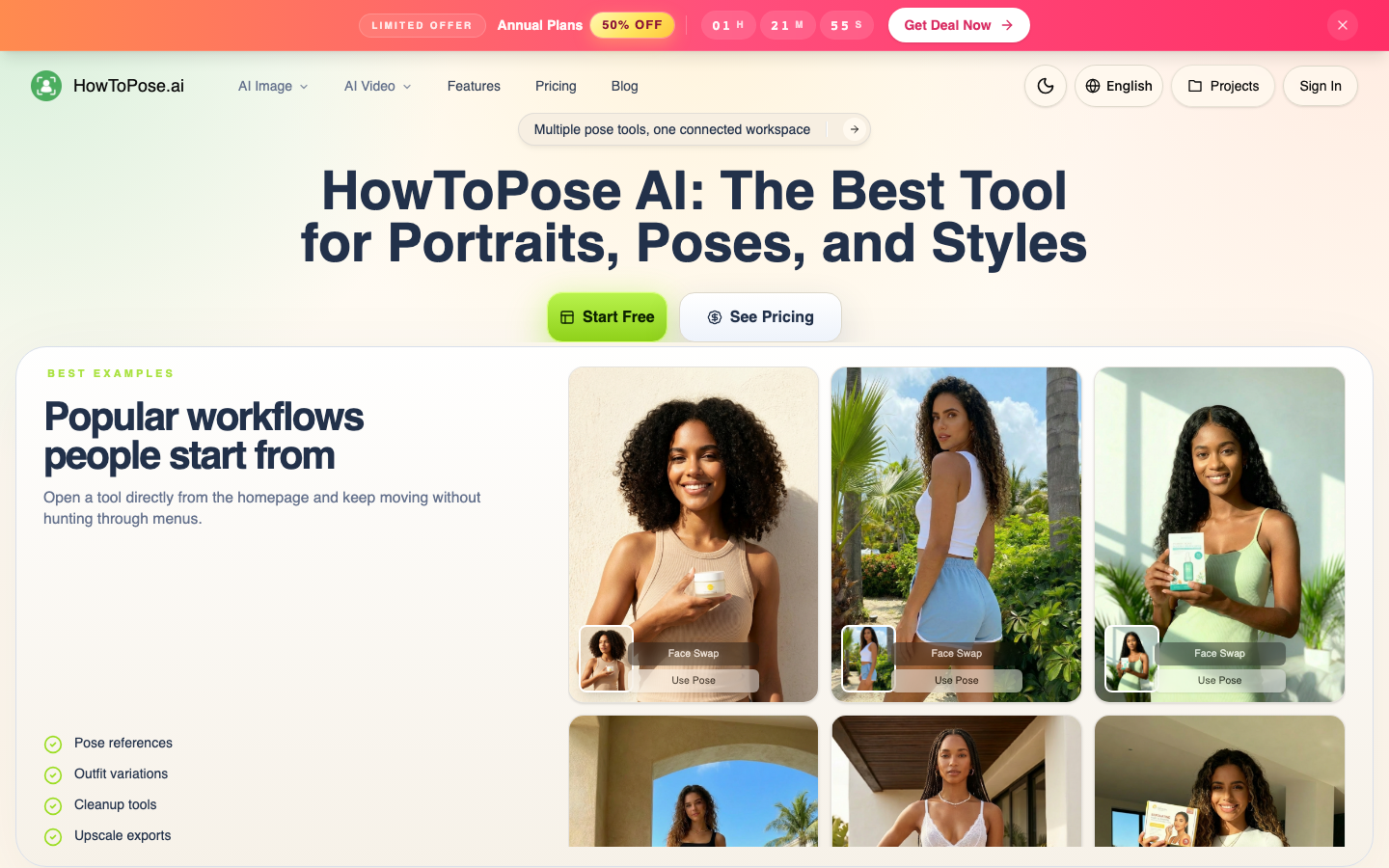
HowToPose AI is a comprehensive suite of AI-powered tools designed to enhance visual content for creators, stores, and teams. It offers advanced capabilities for adjusting poses in photos, swapping clothing on subjects, cleaning up image frames, extending compositions, and generating images from text prompts. HowToPose AI streamlines workflows by integrating pose references, outfit variations, cleanup, and export preparation into a single, connected workspace, enabling users to achieve faster and more dynamic results in their visual projects.

HowToPose screenshot
Try HowToPose

Website: howtopose.ai

What is HowToPose?

HowToPose AI is a comprehensive suite of AI-powered tools designed to enhance visual content for creators, stores, and teams. It offers advanced capabilities for adjusting poses in photos, swapping clothing on subjects, cleaning up image frames, extending compositions, and generating images from text prompts. HowToPose AI streamlines workflows by integrating pose references, outfit variations, cleanup, and export preparation into a single, connected workspace, enabling users to achieve faster and more dynamic results in their visual projects.

At a Glance

Pricing
Freemium
Status
Approved
Platform
Web
Category
AI Image Enhancement, Design Assistance, AI Writing
Tags
ai-art, ai-pose-generator, ai-tools, content-creation, image-editing, photo-manipulation, visual-design

Why Choose HowToPose

AI Pose Generator

Modify subjects in existing images to adopt cleaner, sharper, or more expressive poses without needing to recreate the entire image from scratch. HowToPose AI is a comprehensive suite of AI-powered tools designed to enhance visual content for creators, stores, and teams. It offers advanced capabilities for adjusting poses.

AI Clothes Changer

Experiment with different clothing ideas on a person in a photograph while ensuring the overall scene remains coherent and readable. HowToPose AI is a comprehensive suite of AI-powered tools designed to enhance visual content for creators, stores, and teams. It offers advanced capabilities for adjusting poses.

AI Image Editor

Refine image frames by cleaning up unwanted elements, revising specific details, or exploring entirely new visual aesthetics from the original source image. HowToPose AI is a comprehensive suite of AI-powered tools designed to enhance visual content for creators, stores, and teams. It offers advanced capabilities for adjusting poses.

AI Image Extender

Expand the canvas of a source image to create wider or taller compositions, seamlessly extending the scene without rebuilding it. HowToPose AI is a comprehensive suite of AI-powered tools designed to enhance visual content for creators, stores, and teams. It offers advanced capabilities for adjusting poses.

Free AI Image Generator

Transform text descriptions into polished visual outputs suitable for concept development, poster design, product ideation, and draft visuals. HowToPose AI is a comprehensive suite of AI-powered tools designed to enhance visual content for creators, stores, and teams. It offers advanced capabilities for adjusting poses.

AI Photo to Sketch Converter

Convert real photographs into various sketch styles, such as pencil, ink, or watercolor, while preserving the original composition. HowToPose AI is a comprehensive suite of AI-powered tools designed to enhance visual content for creators, stores, and teams. It offers advanced capabilities for adjusting poses.

How to Use HowToPose

  1. 1

    Select a Tool

    Navigate the HowToPose AI homepage and choose the specific AI tool that matches your creative need, such as the AI Pose Generator or AI Clothes Changer.

  2. 2

    Upload Your Image

    Upload the photo or image you wish to modify into the selected tool's workspace.

  3. 3

    Apply AI Adjustments

    Utilize the tool's features to adjust poses, change outfits, clean up the frame, or extend the image as desired.

  4. 4

    Refine and Export

    Review the AI-generated modifications, make any necessary refinements, and then export the final image in your preferred format.

Best For

  • Product Photography

    Who: E-commerce businesses · Quickly generate diverse product shots with different poses and outfits to showcase items from multiple angles without reshooting.

  • Marketing Campaigns

    Who: Marketing teams · Create visually appealing assets for campaigns by easily adjusting subject poses and backgrounds to fit specific creative briefs.

  • Content Creation

    Who: Social media managers and bloggers · Enhance blog post images or social media visuals with dynamic poses and improved composition to capture audience attention.

  • Concept Art and Storyboarding

    Who: Designers and artists · Rapidly visualize character poses and scene compositions for projects, speeding up the initial creative exploration phase.

  • Image Restoration and Enhancement

    Who: Photographers and editors · Clean up imperfections, remove distractions, or upscale low-resolution images to improve overall quality and usability.

Frequently Asked Questions About HowToPose

What is HowToPose AI?

HowToPose AI is a platform offering a suite of AI-powered tools for image manipulation, including pose generation, outfit changes, image editing, and image extension, designed to streamline visual content creation.

Can I change the pose of a person in my photo?

Yes, the AI Pose Generator tool within HowToPose AI allows you to freely adjust the poses of subjects in your photos.

Does HowToPose AI offer tools for video?

While the primary focus is on image manipulation, HowToPose AI's capabilities in adjusting poses can be applied to create dynamic actions for videos.

Is there a free trial or free version available?

HowToPose AI offers a Free AI Image Generator and a Free AI Image Upscaler, indicating access to some tools without immediate cost.

How does the AI Clothes Changer work?

The AI Clothes Changer allows you to swap clothing on a person in a photo, maintaining the context of the scene while exploring different apparel options.

Can HowToPose AI help with image cleanup?

Yes, the AI Image Editor tool is designed to clean up frames, revise details, and remove distractions from your images.

What is the benefit of the AI Image Extender?

The AI Image Extender allows you to expand the dimensions of your source image, creating wider or taller compositions without rebuilding the entire scene.