
Sponsored byMixinflow
Video GenerationAI Image EnhancementAI Video EditingImage GenerationApproved
seedreampro icon

seedreampro

Seedream is a comprehensive AI creative workspace designed for generating professional AI

Seedream is a comprehensive AI creative workspace designed for generating professional AI images and cinematic videos. It allows users to move from a prompt to a finished visual within a single, independent platform that integrates multiple AI models. Seedream supports various AI models for image and video generation, including Seedream 5.0 Pro, Nano Banana Pro, Seedance 2.0, and others, enabling high-fidelity image creation, reference-based editing, cinematic motion, and synchronized audio. The platform aims to provide endless possibilities for every creator.

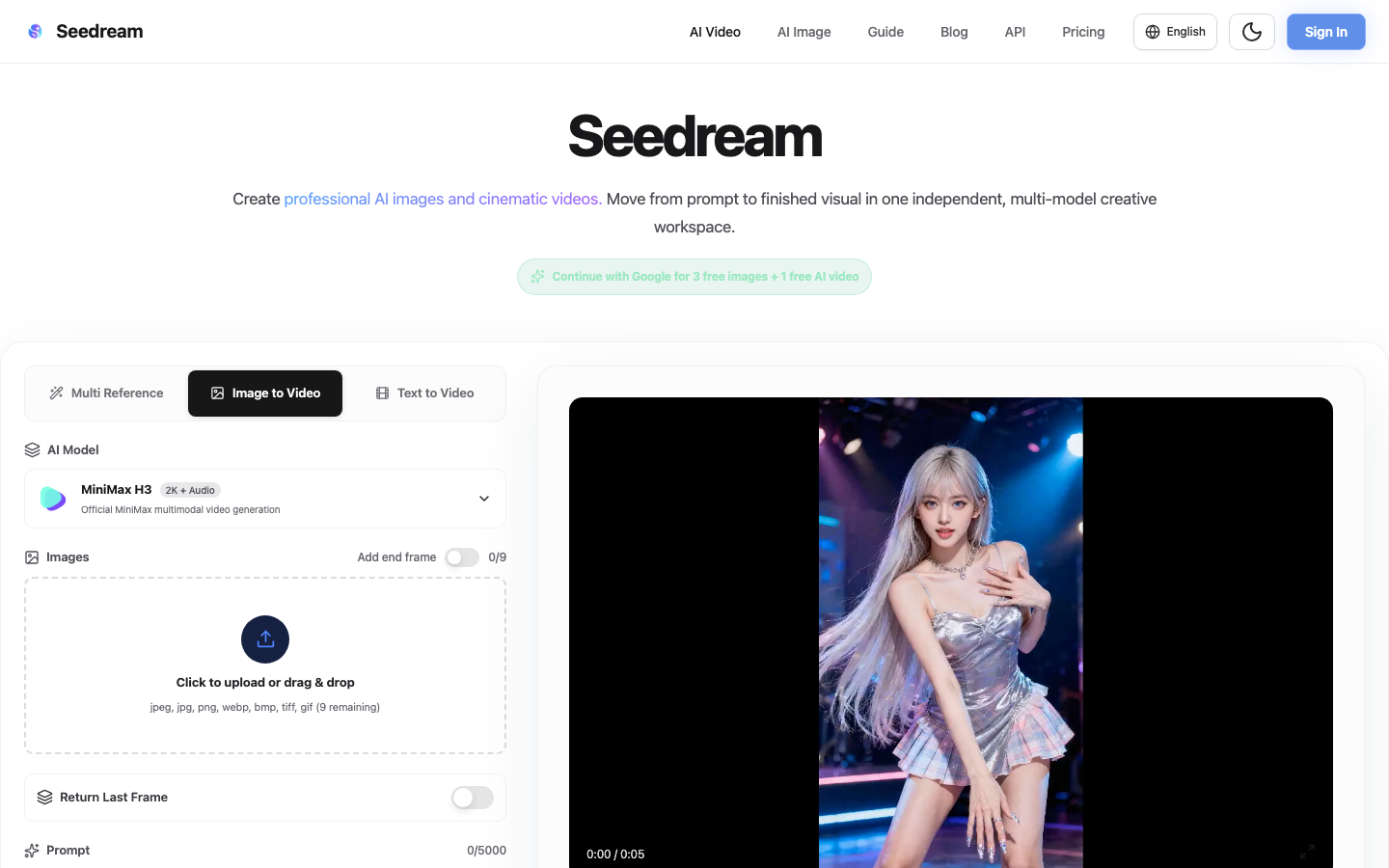
seedreampro screenshot
Try seedreampro

Website: seedreampro.co

What is seedreampro?

Seedream is a comprehensive AI creative workspace designed for generating professional AI images and cinematic videos. It allows users to move from a prompt to a finished visual within a single, independent platform that integrates multiple AI models. Seedream supports various AI models for image and video generation, including Seedream 5.0 Pro, Nano Banana Pro, Seedance 2.0, and others, enabling high-fidelity image creation, reference-based editing, cinematic motion, and synchronized audio. The platform aims to provide endless possibilities for every creator.

At a Glance

Pricing
Not specified
Status
Approved
Platform
Web
Category
Video Generation, AI Image Enhancement, AI Video Editing, Image Generation
Tags
ai-image-generator, ai-video-generator, creative-workflow, multi-model, text-to-image, text-to-video

Why Choose seedreampro

Multi-Model AI Studio

Seedream integrates leading AI image and video models, allowing users to choose the best model for tasks like high-fidelity image generation, reference-based editing, cinematic motion, or synchronized audio.

Image to Video Generation

Create videos from images using compatible models that support text, image, video, and audio references to guide motion, framing, style, and sound. Seedream is a comprehensive AI creative workspace designed for generating professional AI images and cinematic videos. It allows users to move from a prompt to a.

Advanced Image Generation

Utilize models like Seedream 5.0 Pro and Nano Banana Pro for high-detail text-to-image generation, multi-image composition, and controlled edits. Seedream is a comprehensive AI creative workspace designed for generating professional AI images and cinematic videos. It allows users to move from a prompt to a.

Video Editing Capabilities

Seedream offers creative video capabilities within one studio, supporting reference-based editing and cinematic motion for video generation. Seedream is a comprehensive AI creative workspace designed for generating professional AI images and cinematic videos. It allows users to move from a prompt to a.

Batch Generation

Generate multiple videos with the same settings simultaneously, supporting up to 10 videos in a single batch for efficient content creation. Seedream is a comprehensive AI creative workspace designed for generating professional AI images and cinematic videos. It allows users to move from a prompt to a.

How to Use seedreampro

  1. 1

    Select Your Model

    Choose the appropriate AI model within the Seedream multi-model studio based on your creative needs, whether for image generation, video creation, or editing.

  2. 2

    Input Your Prompt and References

    Enter your text prompt and upload reference materials such as images, videos, or audio files to guide the AI in generating your desired output.

  3. 3

    Configure Generation Settings

    Adjust settings like resolution, duration, aspect ratio, and batch generation options to fine-tune the output of your AI-generated content.

  4. 4

    Generate and Refine

    Initiate the generation process and review the results. Seedream allows for reference-based editing, enabling you to refine your images and videos.

Best For

  • Creating marketing visuals

    Who: Marketing professionals · Quickly generate eye-catching images and videos for campaigns using Seedream's advanced AI models.

  • Developing cinematic short films

    Who: Filmmakers and content creators · Explore cinematic motion and synchronized audio to produce high-quality video content with Seedream.

  • Designing unique digital art

    Who: Digital artists · Leverage Seedream's text-to-image capabilities for detailed and precise artistic creations.

  • Prototyping product visuals

    Who: Product designers · Generate multiple visual concepts and variations efficiently using Seedream's batch generation features.

  • Enhancing existing media

    Who: Content editors · Use reference-based editing in Seedream to refine and enhance existing images and video clips.

Frequently Asked Questions About seedreampro

What types of AI models does Seedream support?

Seedream supports a variety of AI models for image and video generation, including Seedream 5.0 Pro, Nano Banana Pro, Seedance 2.0, MiniMax H3, and others, catering to different creative needs.

Can I use my own images or videos as references?

Yes, Seedream allows you to upload reference images, videos, and audio files to guide the AI in generating your desired visual content.

What is the maximum duration for reference videos?

The total duration for reference videos is limited to 15 seconds, with up to 3 reference videos allowed per generation.

Does Seedream offer a free trial?

Seedream offers free credits upon signing up, providing 3 free images and 1 free AI video to get started.

What resolutions are supported for video generation?

Seedream supports various resolutions for video generation, including 480p, 720p, 1080p, and 4K.

How does batch generation work in Seedream?

Batch generation allows you to create multiple videos with the same settings simultaneously, up to a maximum of 10 videos per batch.

Can I combine different types of references?

Yes, Seedream enables you to combine text prompts with image, video, and audio references to create rich and complex visual outputs.