
Sponsored byMixinflow
AI Image EnhancementDesign AssistanceAI ProductivityApproved
Skin Enhancer icon

Skin Enhancer

Skin Enhancer is an AI-powered photo enhancement tool designed to realistically improve

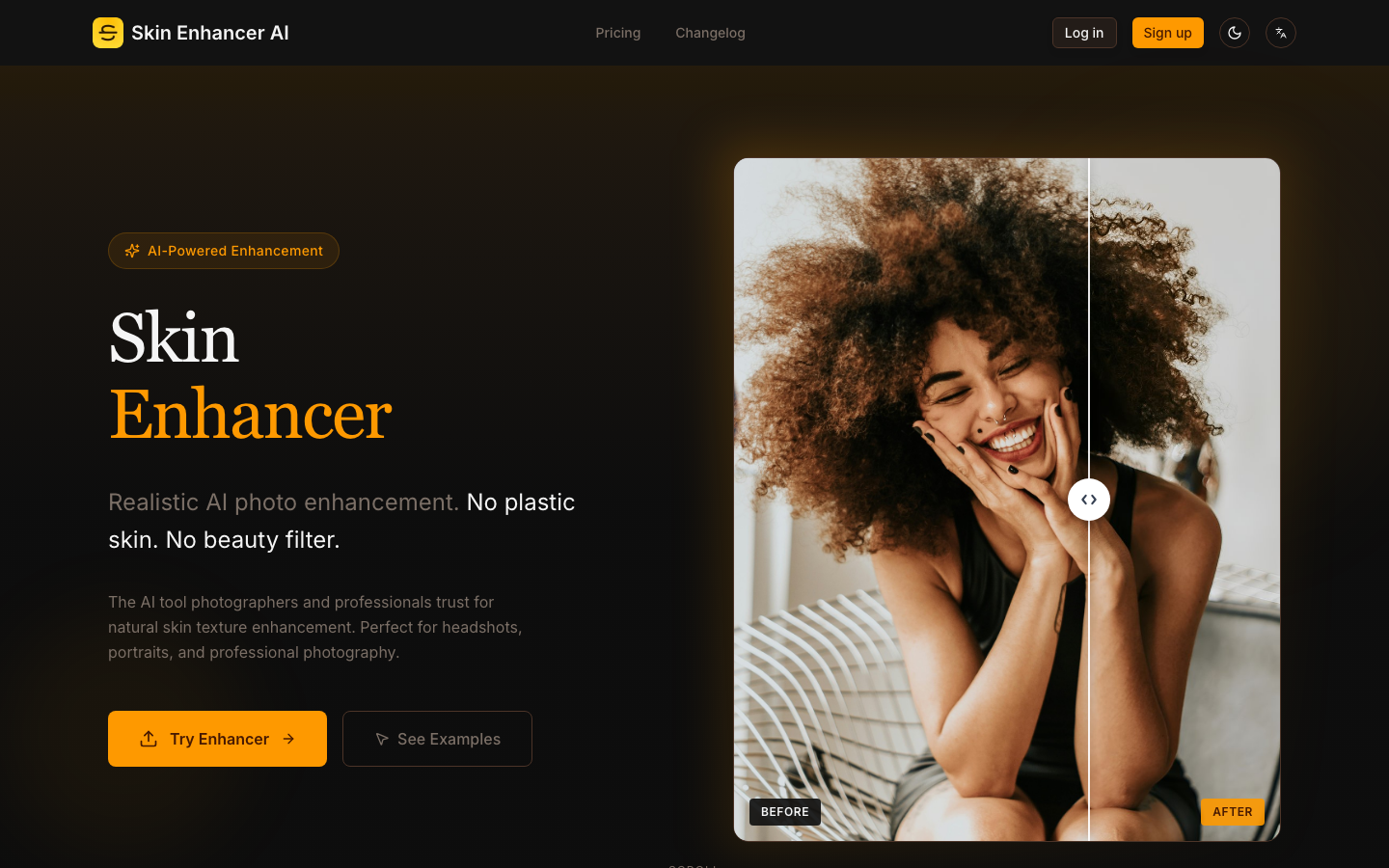
Skin Enhancer is an AI-powered photo enhancement tool designed to realistically improve portraits. It focuses on restoring natural skin texture, sharpening facial clarity, and maintaining the authenticity of each photo without applying plastic-like smoothing or artificial beauty filters. This tool is trusted by photographers and professionals for headshots, portraits, and general professional photography, ensuring enhanced realism. Skin Enhancer AI rebuilds skin texture at the pixel level, preserving natural pores and micro-details. It avoids plastic smoothing, focusing on enhanced realism for a natural look. Export enhanced photos in high resolution, up to 4K. This is ideal for printing, portfolios, and professional use where intricate details are crucial.

Skin Enhancer screenshot
Try Skin Enhancer

Website: skin-enhancer.com

What is Skin Enhancer?

Skin Enhancer is an AI-powered photo enhancement tool designed to realistically improve portraits. It focuses on restoring natural skin texture, sharpening facial clarity, and maintaining the authenticity of each photo without applying plastic-like smoothing or artificial beauty filters. This tool is trusted by photographers and professionals for headshots, portraits, and general professional photography, ensuring enhanced realism. Skin Enhancer AI rebuilds skin texture at the pixel level, preserving natural pores and micro-details. It avoids plastic smoothing, focusing on enhanced realism for a natural look. Export enhanced photos in high resolution, up to 4K. This is ideal for printing, portfolios, and professional use where intricate details are crucial.

At a Glance

Pricing
Not specified
Status
Approved
Platform
Web
Category
AI Image Enhancement, Design Assistance, AI Productivity
Tags
ai-image-processing, ai-photo-editing, natural-skin-texture, photo-enhancement, portrait-editing, skin-retouching

Why Choose Skin Enhancer

Realistic Skin Texture Restoration

Skin Enhancer AI rebuilds skin texture at the pixel level, preserving natural pores and micro-details. It avoids plastic smoothing, focusing on enhanced realism for a natural look.

HD Output Up To 4K

Export enhanced photos in high resolution, up to 4K. This is ideal for printing, portfolios, and professional use where intricate details are crucial. Skin Enhancer is an AI-powered photo enhancement tool designed to realistically improve portraits. It focuses on restoring natural skin texture, sharpening facial clarity, and maintaining the.

Smart Detail Detection

The algorithm distinguishes between imperfections and natural features, removing blemishes while preserving freckles, beauty marks, and other unique skin characteristics. Skin Enhancer is an AI-powered photo enhancement tool designed to realistically improve portraits. It focuses on restoring natural skin texture, sharpening facial clarity, and maintaining the.

Multiple Enhancement Modes

Choose from Balanced, Strong, or HD Texture modes to tailor the enhancement to your specific needs and desired outcome for your portraits. Skin Enhancer is an AI-powered photo enhancement tool designed to realistically improve portraits. It focuses on restoring natural skin texture, sharpening facial clarity, and maintaining the.

User-Friendly Interface

Easily upload your portrait via drag-and-drop or by clicking to upload. Skin Enhancer AI processes images quickly, providing results in seconds. Skin Enhancer is an AI-powered photo enhancement tool designed to realistically improve portraits. It focuses on restoring natural skin texture, sharpening facial clarity, and maintaining the.

How to Use Skin Enhancer

  1. 1

    Upload Your Portrait

    Drag and drop your portrait image or click to upload. Skin Enhancer supports JPEG, PNG, and WEBP files up to 20MB.

  2. 2

    Select Enhancement Mode

    Choose the desired enhancement mode: Balanced, Strong, or HD Texture, based on your preference for skin detail and smoothing.

  3. 3

    Download Enhanced Photo

    Once the AI has processed your image, download the high-resolution result in seconds.

Best For

  • Professional Headshot Enhancement

    Who: Photographers and professionals · Achieve polished yet natural-looking headshots that maintain realistic skin texture and clarity.

  • Portrait Retouching

    Who: Individuals and portrait artists · Enhance portrait photos by removing minor imperfections while preserving unique facial features and skin character.

  • Portfolio Image Improvement

    Who: Models and artists · Upscale and enhance images for portfolios, ensuring high resolution and detail for professional presentation.

  • E-commerce Product Photography

    Who: Online retailers · Improve the appearance of product photos featuring models, ensuring realistic skin tones and textures.

Frequently Asked Questions About Skin Enhancer

What makes Skin Enhancer AI different from other photo editors?

Skin Enhancer AI focuses on realistic skin texture restoration, avoiding artificial smoothing or beauty filters. It preserves natural details like pores and freckles, ensuring an authentic look.

What file types and sizes does Skin Enhancer support?

Skin Enhancer supports JPG, PNG, and WEBP files. Free users have a maximum file size of 2MB, while paid users can upload up to 20MB. Files over 2MB are compressed.

Can I remove blemishes with Skin Enhancer?

Yes, the Smart Detail Detection feature allows Skin Enhancer to remove blemishes while keeping natural features like freckles and beauty marks intact.

What resolution can I export my enhanced photos in?

You can export your enhanced photos in high resolution, up to 4K, perfect for professional use and printing.

Is Skin Enhancer suitable for professional photography?

Absolutely. Skin Enhancer AI is trusted by photographers and professionals for its ability to enhance portraits naturally, making it ideal for headshots and professional work.

Does Skin Enhancer apply a 'beauty filter'?

No, Skin Enhancer AI is designed to avoid plastic skin and fake beauty filters. Its goal is to enhance natural skin texture and facial clarity realistically.

How long does it take to enhance a photo?

The enhancement process is very quick. You can witness the AI magic and get your enhanced photo in seconds after uploading.