
Sponsored byMixinflow
AI Video EditingAI WritingAI Enhance Podcast ExperienceApproved
videoupscalerai icon

videoupscalerai

VideoUpscalerAI is a free, browser-based AI video upscaler designed to enhance video

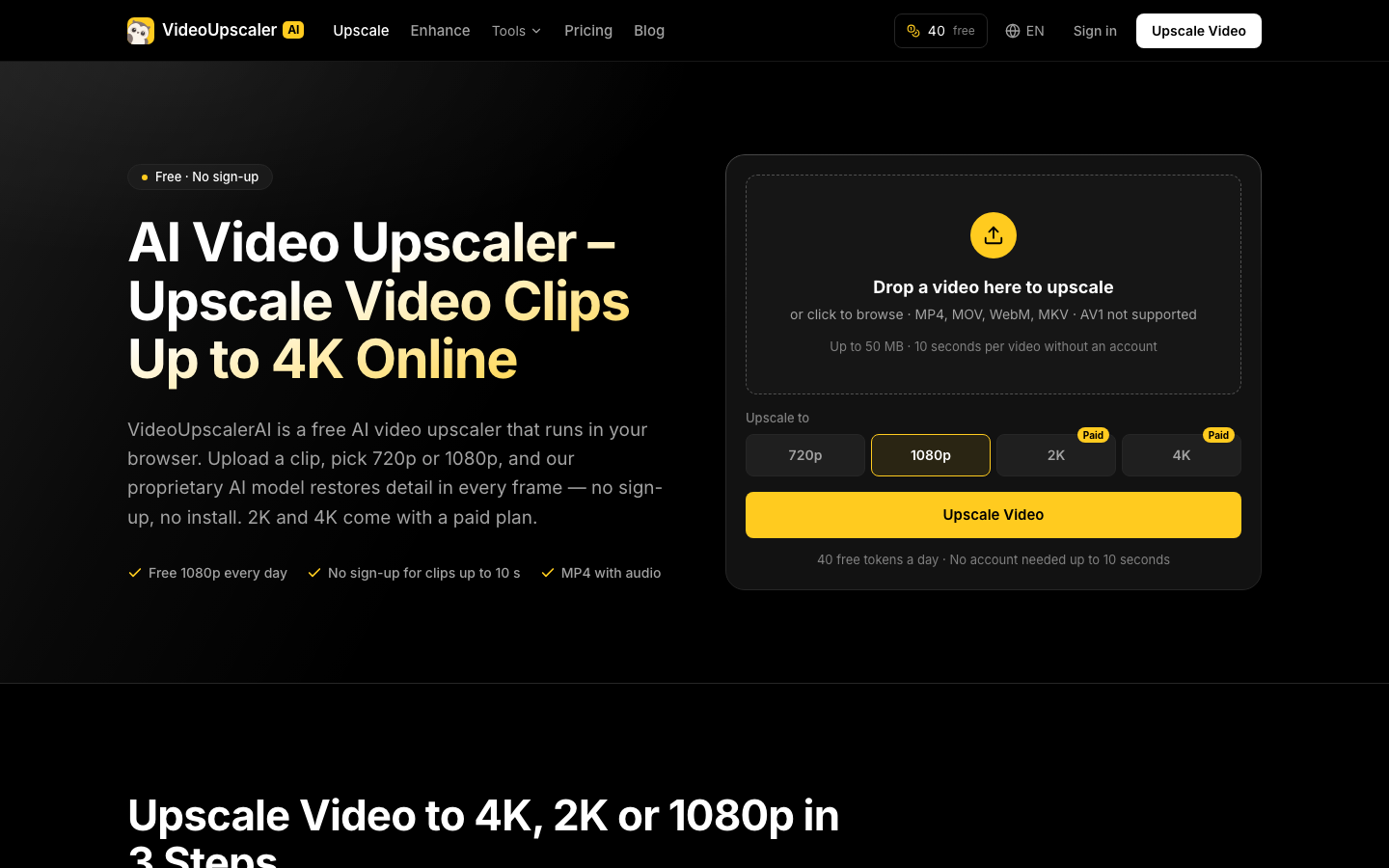
VideoUpscalerAI is a free, browser-based AI video upscaler designed to enhance video clips without requiring any sign-up or installation. It utilizes a proprietary AI model to restore detail in each frame, allowing users to upscale videos to resolutions like 720p and 1080p. For higher resolutions such as 2K and 4K, or to remove watermarks, paid plans and token packs are available. The service offers daily free tokens, enabling users to upscale short clips for free.

videoupscalerai screenshot
Try videoupscalerai

Website: videoupscalerai.io

What is videoupscalerai?

VideoUpscalerAI is a free, browser-based AI video upscaler designed to enhance video clips without requiring any sign-up or installation. It utilizes a proprietary AI model to restore detail in each frame, allowing users to upscale videos to resolutions like 720p and 1080p. For higher resolutions such as 2K and 4K, or to remove watermarks, paid plans and token packs are available. The service offers daily free tokens, enabling users to upscale short clips for free.

At a Glance

Pricing
Not specified
Status
Approved
Platform
Web
Category
AI Video Editing, AI Writing, AI Enhance Podcast Experience
Tags
ai-video, free-tool, no-signup, online-editor, resolution-enhancement, video-upscaling

Why Choose videoupscalerai

Free AI Video Upscaling

Upscale video clips to 720p or 1080p resolution directly in your browser at no cost. This feature is available without needing to create an account.

No Sign-Up Required

Start upscaling your videos immediately. VideoUpscalerAI allows users to upload and process clips without the need for registration, making the process quick and accessible.

Daily Free Tokens

Receive a set amount of free tokens each day, which can be used to upscale a limited duration of video content, providing regular access to enhanced quality.

Multiple Resolution Options

Choose from various output resolutions, including 720p and 1080p for free users, with options for 2K and 4K available through paid plans for professional needs.

Support for Common Formats

Upload videos in popular formats such as MP4, MOV, WebM, and MKV. Note that AV1 format is not currently supported by VideoUpscalerAI. VideoUpscalerAI is a free, browser-based AI video upscaler designed to enhance video clips without requiring any sign-up or installation. It utilizes a proprietary AI model to.

How to Use videoupscalerai

  1. 1

    Upload Your Video

    Drag and drop your video file into the designated area or click to browse your local files. For free users, there's a limit of 50 MB and 10 seconds per video.

  2. 2

    Select Target Resolution

    Choose your desired output resolution. Free usage includes 720p and 1080p. Paid options extend to 2K and 4K for higher quality requirements.

  3. 3

    Initiate Upscaling

    Click the 'Upscale Video' button to start the process. The AI model will then enhance your video based on the selected settings.

  4. 4

    Download Enhanced Video

    Once the upscaling is complete, download the improved video file to your device.

Best For

  • Improving Social Media Clips

    Who: Social Media Managers · Enhance the visual quality of short video clips for platforms like Instagram or TikTok, making content more engaging without complex editing software.

  • Enhancing Old Video Footage

    Who: Content Creators · Give older or lower-resolution video footage a modern look by upscaling it to higher resolutions, suitable for re-release or new projects.

  • Preparing Videos for Presentations

    Who: Students and Professionals · Ensure video content used in presentations appears crisp and clear on larger screens by upscaling it to 1080p or higher.

  • Upscaling AI-Generated Videos

    Who: AI Art Enthusiasts · Improve the resolution and detail of videos generated by AI tools, making them more visually appealing and professional.

  • Quick Video Quality Boost

    Who: Casual Users · Easily improve the quality of any video for personal viewing or sharing without needing technical expertise or software installation.

Frequently Asked Questions About videoupscalerai

Is VideoUpscalerAI truly free?

Yes, VideoUpscalerAI offers free video upscaling to 720p and 1080p with daily free tokens. Higher resolutions like 2K and 4K are available through paid plans.

Do I need to sign up to use VideoUpscalerAI?

No, you can use VideoUpscalerAI to upscale videos without signing up. However, signing in may provide additional benefits or higher limits.

What is the maximum video length I can upscale for free?

As a guest, you can upscale up to 10 seconds per video for free. Signing in may increase this limit. For longer videos, you can select specific segments.

What video file formats does VideoUpscalerAI support?

VideoUpscalerAI supports common formats like MP4, MOV, WebM, and MKV. It does not support the AV1 format.

What are the file size limits for free uploads?

The free upload limit is up to 50 MB per video. Paid plans offer a higher limit of 100 MB.

How does AI video upscaling differ from traditional methods?

AI upscaling uses machine learning to intelligently add detail and clarity, often producing superior results compared to traditional methods that simply stretch pixels.

Can I upscale AI-generated videos?

Yes, VideoUpscalerAI can be used to upscale AI-generated videos, improving their resolution and visual quality.