Sponsored byMixinflow
Video GenerationAI Video EditingAI MarketingApproved
VioCine icon

VioCine

VioCine AI is a centralized web-based platform designed for generating high-quality cinematic

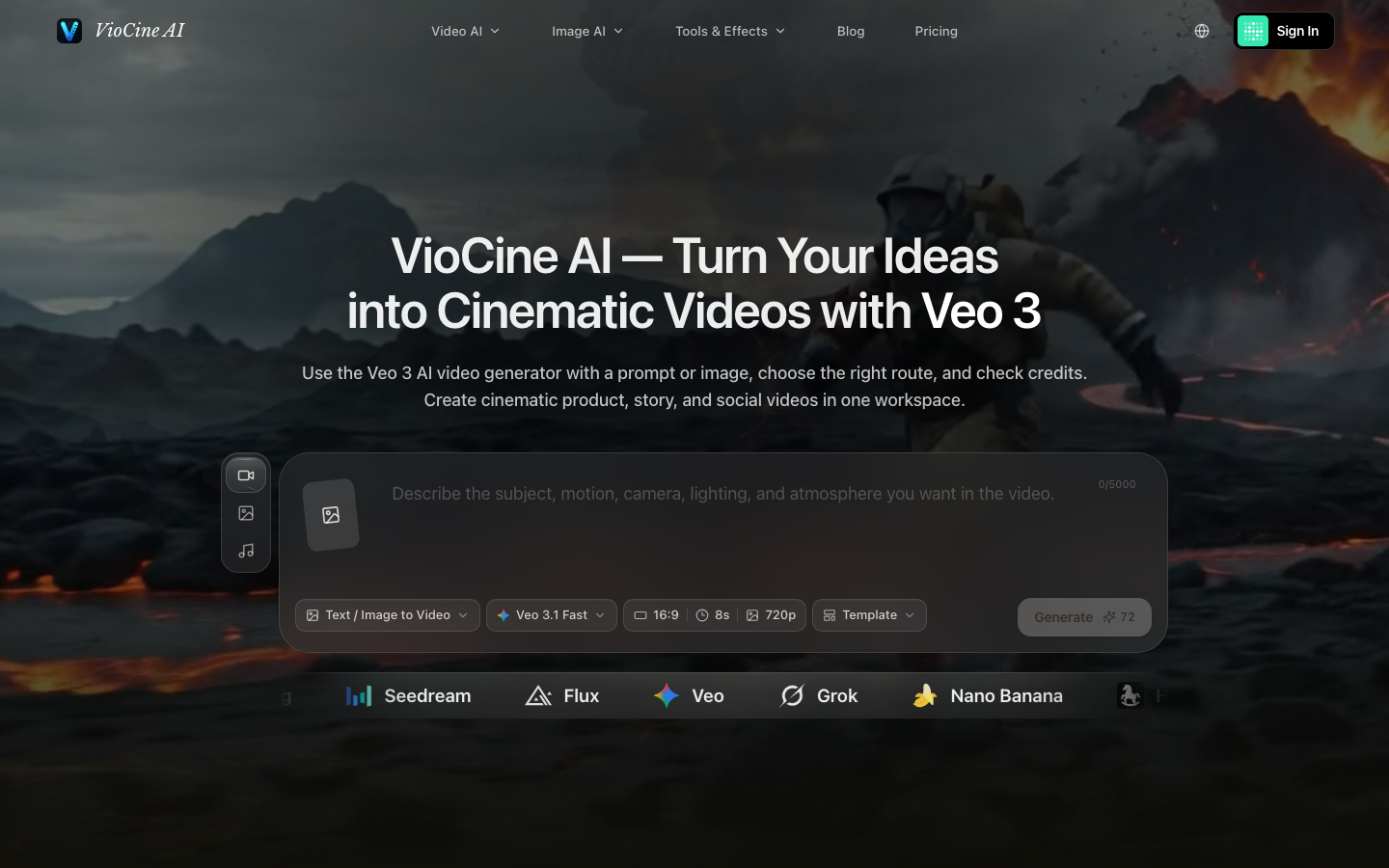
VioCine AI is a centralized web-based platform designed for generating high-quality cinematic videos using advanced artificial intelligence models like Veo 3 and Seedance 2.0. The tool allows users to transform simple text prompts or uploaded images into polished video clips within a single workspace. It provides granular controls over motion, framing, and visual continuity, enabling precise adjustments before rendering. Users can switch between multiple AI models, monitor credit consumption, and export editor-ready footage directly from the interface. This streamlined approach eliminates the

VioCine screenshot
Try VioCine

Website: viocine.com

What is VioCine?

VioCine AI is a centralized web-based platform designed for generating high-quality cinematic videos using advanced artificial intelligence models like Veo 3 and Seedance 2.0. The tool allows users to transform simple text prompts or uploaded images into polished video clips within a single workspace. It provides granular controls over motion, framing, and visual continuity, enabling precise adjustments before rendering. Users can switch between multiple AI models, monitor credit consumption, and export editor-ready footage directly from the interface. This streamlined approach eliminates the

At a Glance

Pricing
Not specified
Status
Approved
Platform
Web
Category
Video Generation, AI Video Editing, AI Marketing
Tags
ai-video-generator, cinematic-production, creator-tools, image-to-video, text-to-video, veo-3

Why Choose VioCine

Multi-Model Integration

Access a curated library of specialized AI video engines including Veo 3, Seedance 2.0, and Kling within VioCine AI. Users can compare outputs and select the optimal model based on style preferences, resolution requirements, and available c

Text and Image Conversion

Convert written descriptions or static photographs into dynamic video sequences through intuitive input fields. The system interprets visual cues and narrative instructions to generate coherent scenes, supporting both direct prompt entry an

Advanced Motion Control

Adjust camera angles, subject movement, and pacing parameters to shape every shot precisely. These granular settings allow creators to maintain visual consistency across frames, ensuring that generated clips meet professional editorial stan

Credit Management System

Track resource allocation and preview estimated costs before initiating generation tasks. The transparent accounting interface displays remaining balances and per-project deductions, helping users plan production workflows efficiently while

Template-Based Workflows

Utilize preconfigured layouts for common formats like vertical social posts, horizontal advertisements, and product showcases. These templates streamline the initial setup process by automatically adjusting aspect ratios and framing guideli

How to Use VioCine

  1. 1

    Select Input Method

    Navigate to the main generation panel and choose whether to type a descriptive prompt or upload a reference image to serve as the foundation for your video project.

  2. 2

    Configure Model Settings

    Browse the available AI engine options in VioCine AI, adjust resolution and duration parameters, and verify the estimated credit cost displayed next to your chosen configuration.

  3. 3

    Apply Creative Controls

    Modify motion intensity, camera framing, and visual continuity sliders to refine how subjects move and interact within the generated scene before finalizing the layout.

  4. 4

    Initiate Rendering Process

    Click the generate button to submit your request via VioCine AI, then monitor the progress indicator until the system completes the video synthesis.

  5. 5

    Review and Export

    Inspect the finished clip for quality alignment, make minor adjustments if necessary, and download the file in the preferred format for immediate publishing or further editing.

Best For

  • Producing short-form promotional content for social media platforms using VioCine AI.

    Who: Digital marketing agencies and brand managers · Rapidly generates engaging video assets that align with campaign timelines without requiring extensive filming schedules or post-production teams.

  • Creating animated product demonstrations for e-commerce listings.

    Who: Online retailers and startup founders · Transforms static inventory photos into dynamic visual presentations that highlight item features and increase customer conversion rates.

  • Developing storyboards and concept visuals for independent filmmakers through VioCine AI.

    Who: Screenwriters and indie directors · Provides quick, low-cost visual references to communicate narrative ideas to investors and crew members before committing to full-scale production.

  • Generating background footage for virtual presentations and webinars.

    Who: Corporate trainers and remote educators · Supplies customizable, loopable video environments that enhance audience retention and reduce reliance on static slide decks.

  • Crafting personalized video messages for community engagement.

    Who: Content creators and podcast hosts · Automates the creation of tailored clips that strengthen viewer connections and encourage consistent audience interaction across multiple channels.

Frequently Asked Questions About VioCine

Can I switch between different AI models during the same project on VioCine AI?

Yes, the platform supports seamless model switching within a single workspace, allowing you to test various engines and select the output that best matches your creative requirements.

How are generation costs calculated and tracked?

Credits are deducted based on selected resolution, duration, and model complexity. The interface displays real-time estimates before processing begins and maintains a running balance in your account dashboard.

Is there a limit on the length of generated videos with VioCine AI?

Standard configurations typically produce short clips optimized for social media and advertising formats. Longer sequences may require splitting prompts or utilizing extended mode options if available.

Can I upload my own images to guide the video output?

Absolutely, the image-to-video function accepts user-uploaded files to establish composition, lighting, and subject placement, providing greater control over the final visual result.

What file formats are supported for downloads?

Rendered videos are exported in standard MP4 containers compatible with most editing software and publishing platforms, ensuring straightforward integration into existing production pipelines.

Does the tool provide editing capabilities after generation?

While primarily focused on synthesis, the interface includes basic adjustment sliders for motion and framing, allowing minor refinements before exporting the final asset.