Sponsored byMixinflow
Design AssistanceAI MarketingAI Office ToolsApproved
airoommakeover icon

airoommakeover

AI Room Makeover is a tool that allows users to redesign their

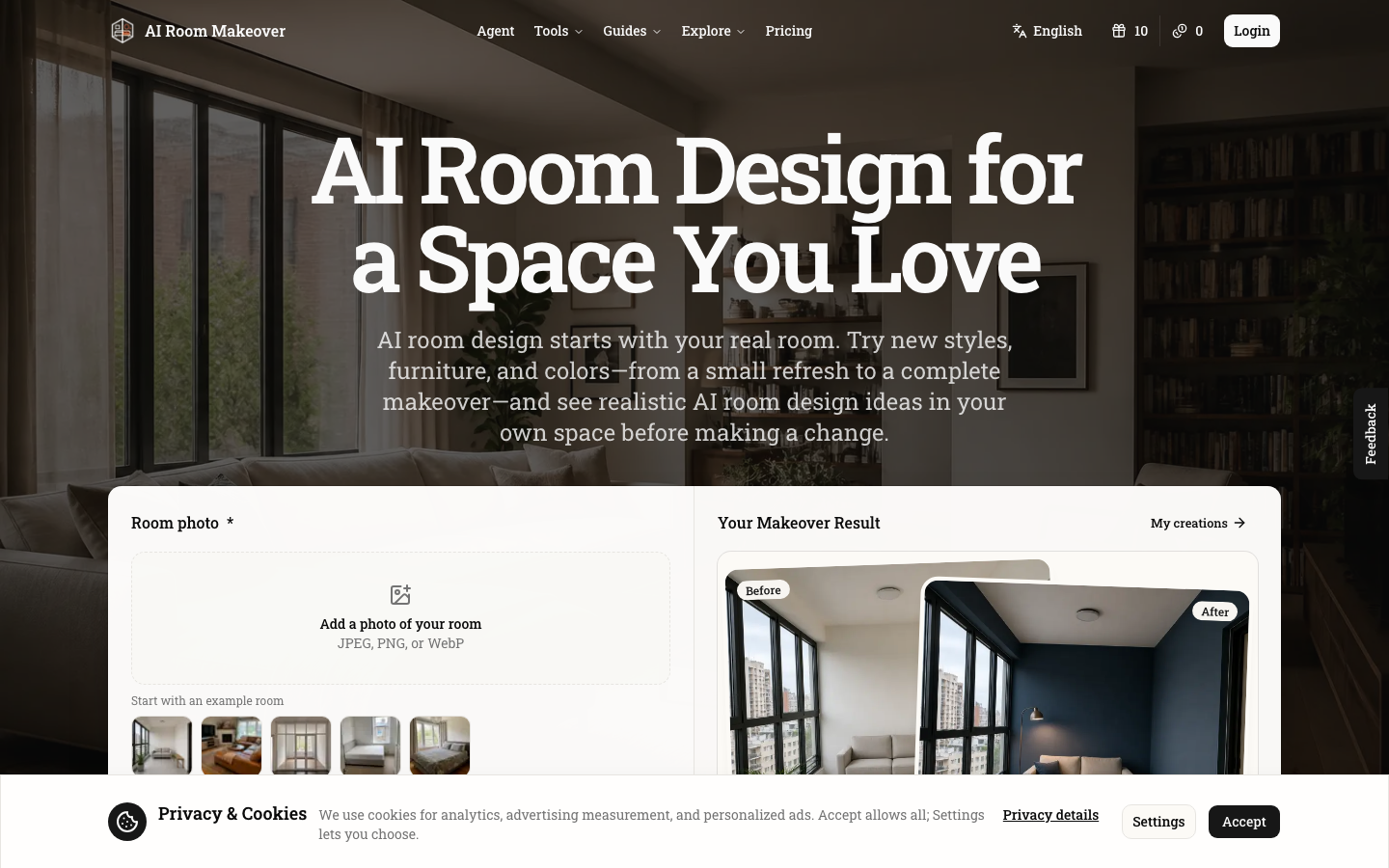
AI Room Makeover is a tool that allows users to redesign their living spaces using artificial intelligence. By uploading a photo of their room, users can explore new styles, furniture, and color palettes to visualize potential makeovers. The platform aims to provide realistic design ideas, enabling users to experiment with changes from minor updates to complete transformations before committing to physical alterations. AI Room Makeover helps users create a room design that aligns with their preferences and existing space.

airoommakeover screenshot
Try airoommakeover

Website: airoommakeover.com

What is airoommakeover?

AI Room Makeover is a tool that allows users to redesign their living spaces using artificial intelligence. By uploading a photo of their room, users can explore new styles, furniture, and color palettes to visualize potential makeovers. The platform aims to provide realistic design ideas, enabling users to experiment with changes from minor updates to complete transformations before committing to physical alterations. AI Room Makeover helps users create a room design that aligns with their preferences and existing space.

At a Glance

Pricing
Not specified
Status
Approved
Platform
Web
Category
Design Assistance, AI Marketing, AI Office Tools
Tags
ai-makeover, design-tool, home-decor, interior-design, room-design, virtual-staging

Why Choose airoommakeover

Photo-Based Room Design

Upload a photo of your current room to serve as the base for AI-driven design suggestions. This ensures the makeovers are tailored to your specific space.

Style Exploration

Choose from a variety of interior design styles, such as Scandinavian, Mid-Century Modern, Industrial, Art Deco, and Bohemian, to guide the AI's redesign. AI Room Makeover is a tool that allows users to redesign their living spaces using artificial intelligence. By uploading a photo of their room, users can.

Descriptive Makeover Prompts

Clearly describe the desired changes, including specific furniture, materials, or colors, to instruct the AI on how to transform your room. AI Room Makeover is a tool that allows users to redesign their living spaces using artificial intelligence. By uploading a photo of their room, users can.

Realistic Result Generation

See AI-generated visualizations of your room makeover, maintaining the original room's context while implementing the requested changes for a realistic preview. AI Room Makeover is a tool that allows users to redesign their living spaces using artificial intelligence. By uploading a photo of their room, users can.

Iterative Design Process

Generate makeovers, review the results, and adjust your inputs or prompts to refine the design further, allowing for an iterative approach to room redesign.

How to Use airoommakeover

  1. 1

    Upload Your Room Photo

    Provide a clear photograph of the room or area you wish to redesign. Supported formats include JPEG, PNG, or WebP.

  2. 2

    Describe Your Desired Makeover

    Specify the changes you want to see, such as replacing furniture or altering colors. You can also add reference images for products or materials.

  3. 3

    Generate Your Room Makeover

    Initiate the AI generation process to receive a redesigned version of your room based on your photo and description.

  4. 4

    Review and Refine

    Examine the generated makeover. If needed, adjust your description or inputs and regenerate the design to achieve your desired outcome with AI Room Makeover.

Best For

  • Visualizing Furniture Changes

    Who: Homeowners looking to buy new furniture · See how a new sofa or chair would look in their existing room before purchasing.

  • Experimenting with Color Palettes

    Who: Individuals redecorating their living space · Explore different wall colors or accent shades to find a combination that enhances the room's ambiance.

  • Testing Interior Design Styles

    Who: People unsure about their preferred design aesthetic · Virtually try out various styles like modern, bohemian, or industrial to discover what best suits their taste and space.

  • Planning a Complete Room Renovation

    Who: Those undertaking a significant home makeover · Get a comprehensive visual preview of a fully redesigned room, including layout and decor, to guide the renovation process.

  • Creating Inspiration Boards

    Who: Design enthusiasts and hobbyists · Generate realistic room images to use as inspiration or for mood boards for future design projects.

Frequently Asked Questions About airoommakeover

What kind of photos can I upload for AI Room Makeover?

You can upload clear photos of your room in JPEG, PNG, or WebP formats. Ensure the area you want to redesign is well-lit and visible.

Can I specify exact furniture items for the makeover?

Yes, you can describe the type of furniture you want, and optionally add reference images of specific products or materials to guide the AI.

How realistic are the generated room makeovers?

AI Room Makeover aims to produce realistic results by considering the original room's lighting, perspective, and existing elements while incorporating your requested changes.

What happens if I don't like the first generated makeover?

You can adjust your description, add more details, or try different reference images and then regenerate the makeover. The tool allows for iterative refinement.

Can I use AI Room Makeover for commercial purposes?

The provided text does not specify commercial use terms. Please refer to the platform's terms of service for details on usage rights.

Is there a limit to the number of makeovers I can generate?

The text mentions 'credits' related to generation quality, suggesting there might be usage limits or costs associated with generating makeovers.

Can I save or download my generated room designs?

Yes, the platform allows you to download the generated makeover images, enabling you to save and refer back to your design ideas.