Sponsored byMixinflow
Video GenerationAI Video EditingApproved
Bulin 47 AI Video Generator icon

Bulin 47 AI Video Generator

The Bulin 47 AI Video Generator transforms a single permitted photograph into

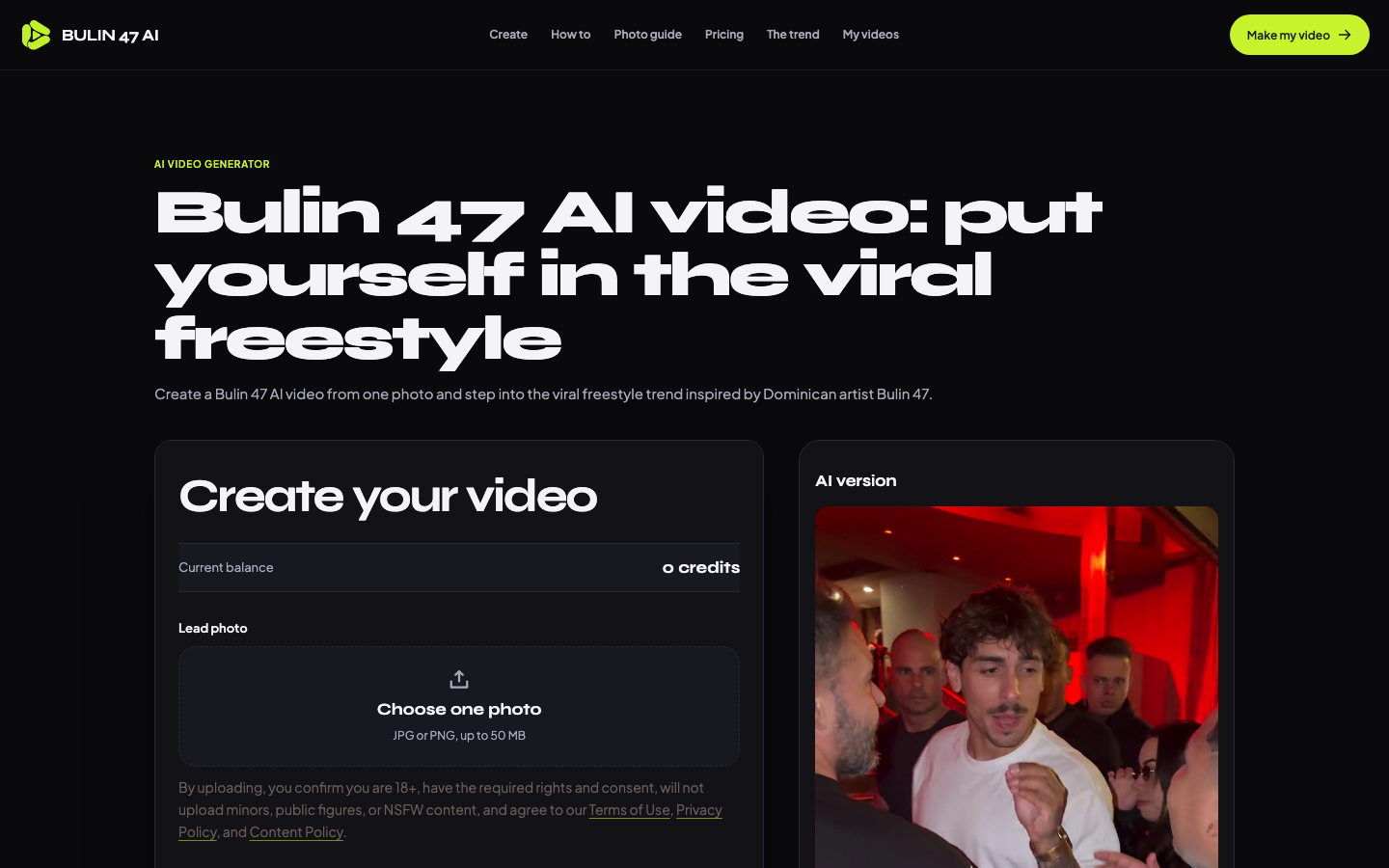
The Bulin 47 AI Video Generator transforms a single permitted photograph into a short animated clip inspired by a popular music trend. Users upload a clear portrait of themselves or a consenting adult, select their preferred output resolution, and submit the request through a straightforward interface. The system processes the image using artificial intelligence to animate facial movements and body posture while maintaining the original visual style. Once generated, creators can preview the complete video, verify audio compatibility, and download the final file for immediate distribution acros

Bulin 47 AI Video Generator screenshot
Try Bulin 47 AI Video Generator

Website: bulin-47-ai.net

What is Bulin 47 AI Video Generator?

The Bulin 47 AI Video Generator transforms a single permitted photograph into a short animated clip inspired by a popular music trend. Users upload a clear portrait of themselves or a consenting adult, select their preferred output resolution, and submit the request through a straightforward interface. The system processes the image using artificial intelligence to animate facial movements and body posture while maintaining the original visual style. Once generated, creators can preview the complete video, verify audio compatibility, and download the final file for immediate distribution acros

At a Glance

Pricing
Not specified
Status
Approved
Platform
Web
Category
Video Generation, AI Video Editing
Tags
ai-video-generator, image-animation, photo-to-video, social-media-content, user-generated-content, viral-trend

Why Choose Bulin 47 AI Video Generator

Single Photo Upload

The Bulin 47 AI Video Generator accepts JPG or PNG files up to 50 MB, requiring only one clear portrait to initiate the animation process without needing multiple frames or background footage.

Resolution Selection

Users configure output quality through three distinct tiers, balancing visual clarity against platform-specific credit consumption rates while utilizing the Bulin 47 AI Video Generator interface.

Credit Management System

The platform reserves required credits before processing begins, confirms charges only upon successful generation, and automatically refunds unused funds if the system encounters timeouts or errors.

Trend Integration

Generated animations align with established viral choreography patterns, ensuring that created clips match popular social media formats and maintain consistent rhythmic pacing across all outputs.

Content Compliance Checks

Strict usage guidelines restrict uploads of minors, public figures, or explicit material, while requiring explicit consent documentation for all subjects featured in the final video.

How to Use Bulin 47 AI Video Generator

  1. 1

    Upload Portrait File

    Access the Bulin 47 AI Video Generator dashboard and select a clear JPG or PNG image of yourself or a consenting adult, ensuring it stays within the 50 MB size limit.

  2. 2

    Configure Output Settings

    Review available resolution options and corresponding credit costs, then choose the quality tier that matches your intended platform requirements before proceeding.

  3. 3

    Initiate Generation Process

    Confirm your selection to reserve the necessary credits, allowing the system to process the image and create the animated sequence automatically.

  4. 4

    Preview and Download

    Inspect the completed video for accuracy, verify audio compatibility, and save the final file directly to your device for sharing.

Best For

  • Social Media Trend Participation

    Who: Content Creators · Quickly produce engaging clips that align with popular challenges without hiring professional editors, leveraging the Bulin 47 AI Video Generator for rapid turnaround.

  • Personalized Greeting Messages

    Who: Individuals · Transform ordinary profile pictures into dynamic video greetings that stand out when shared across messaging apps and story feeds using automated animation tools.

  • Brand Awareness Campaigns

    Who: Small Business Owners · Generate consistent visual assets featuring team members or product models to maintain regular posting schedules and boost audience interaction rates across digital channels.

  • Event Promotion Materials

    Who: Community Organizers · Create short promotional loops highlighting event highlights or speaker introductions that capture attention during live streams and digital advertisements without manual editing.

Frequently Asked Questions About Bulin 47 AI Video Generator

What file formats are accepted for the source image?

The platform accepts JPG and PNG files, with a maximum file size of 50 MB per upload for the Bulin 47 AI Video Generator.

How does the credit reservation system work?

Credits are temporarily held before processing starts, charged only if generation succeeds, and refunded immediately if the system times out or fails.

Can I use photographs of other people?

Yes, provided you have explicit informed consent from the subject and confirm they are adults over 18 years old before uploading.

Which output resolutions are available?

Users can select between 480p, 720p, or 1080p based on their quality preferences and desired credit expenditure for the final output.

Are there restrictions on clothing or logos in the uploaded photo?

Visible uniforms or jerseys help with reference cues, but detailed text, brand logos, and intricate patterns may not render accurately in the final animation.

Where can I share the generated videos?

The output files are optimized for direct upload to major short-form video platforms including TikTok, Instagram Reels, and YouTube Shorts.