Sponsored byMixinflow
Video GenerationAI Video EditingApproved
Burning Bridges AI Video Generator icon

Burning Bridges AI Video Generator

Burning Bridges AI Video Generator is an automated tool that transforms a

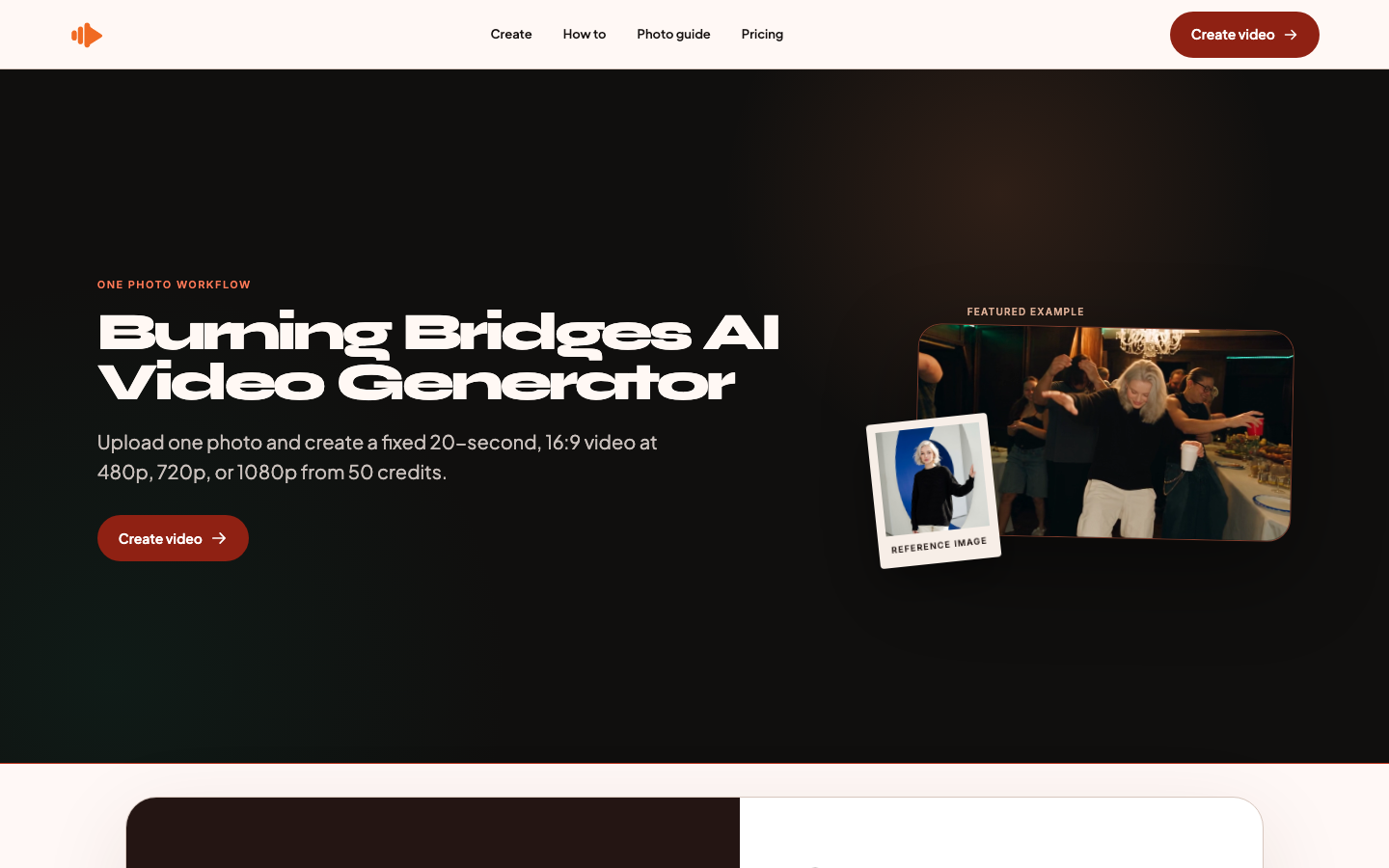
Burning Bridges AI Video Generator is an automated tool that transforms a single portrait photograph into a short, dynamic video clip. Users upload a clear front-facing image of themselves, and the system prepares the character appearance before applying it to a fixed party-scene template. The platform outputs a twenty-second, sixteen-by-nine aspect ratio video in multiple resolution options. Designed for quick social media content or entertainment purposes, this service handles motion reference and performance generation automatically. Creators simply track their project progress through a da

Burning Bridges AI Video Generator screenshot
Try Burning Bridges AI Video Generator

Website: burningbridgesai.online

What is Burning Bridges AI Video Generator?

Burning Bridges AI Video Generator is an automated tool that transforms a single portrait photograph into a short, dynamic video clip. Users upload a clear front-facing image of themselves, and the system prepares the character appearance before applying it to a fixed party-scene template. The platform outputs a twenty-second, sixteen-by-nine aspect ratio video in multiple resolution options. Designed for quick social media content or entertainment purposes, this service handles motion reference and performance generation automatically. Creators simply track their project progress through a da

At a Glance

Pricing
Not specified
Status
Approved
Platform
Web
Category
Video Generation, AI Video Editing
Tags
ai-animation, ai-video-generator, credit-based, credit-based-pricing, drake-burning-bridges, meme-generator, mp4-export, party-scene-video

Why Choose Burning Bridges AI Video Generator

One-Photo Upload Workflow

Users submit a single JPG or PNG file featuring a clear face and upper body. The system automatically matches the subject to a predefined party environment without requiring complex editing skills when using the Burning Bridges AI Video Gen

Multi-Resolution Output Options

The generator produces videos in standard definition, high definition, or full high definition formats. Each quality tier requires a different credit amount, allowing creators to select the optimal balance between file size and visual clari

Fixed Scene Animation Engine

A pre-built party scene template provides consistent motion references and background elements. This standardized approach ensures reliable character integration and eliminates unpredictable rendering variations during the generation proces

Transparent Credit Management System

Credits are reserved upfront before character preparation begins. If a generation fails or times out, the reserved credits are automatically returned to the user account, ensuring fair usage tracking throughout the workflow.

Non-Expiring Credit Packs

Purchased credit bundles remain valid indefinitely until utilized. This flexible structure allows users to generate videos at their own pace without worrying about subscription renewals or expiration deadlines.

How to Use Burning Bridges AI Video Generator

  1. 1

    Select Resolution and Credits

    Choose your desired output quality and purchase a matching credit pack from the available tiers when setting up the Burning Bridges AI Video Generator.

  2. 2

    Upload Portrait Image

    Submit a front-facing JPG or PNG file under fifty megabytes that clearly shows one person's face and upper body for processing.

  3. 3

    Initiate Generation Process

    Confirm the upload to reserve credits and trigger the automatic character preparation and scene animation sequence within the platform.

  4. 4

    Monitor and Download

    Track the job status through the dashboard interface and retrieve the finished MP4 video once the system confirms successful completion.

Best For

  • Social media profile updates

    Who: Content creators and influencers · Quickly refresh personal branding visuals with engaging animated clips without hiring editors while using the Burning Bridges AI Video Generator.

  • Event invitation promotions

    Who: Party organizers and hosts · Generate personalized video announcements that capture attention and convey event atmosphere effectively for digital campaigns.

  • Digital greeting cards

    Who: Individuals sending messages to friends · Transform static photos into lively moving greetings that stand out in messaging apps and enhance personal communication.

  • Marketing teaser trailers

    Who: Small business owners and marketers · Produce rapid visual prototypes to test audience engagement before committing to full production budgets for advertising.

Frequently Asked Questions About Burning Bridges AI Video Generator

What image format and size limits apply to uploads?

The platform accepts JPG and PNG files up to fifty megabytes, requiring a clear front-facing portrait with visible upper body for the Burning Bridges AI Video Generator.

How long does the video generation process take?

Processing duration varies based on server load and selected resolution, but users can monitor progress directly through the project tracking dashboard.

Are purchased credits valid for a limited time?

No, all credit packages remain active indefinitely until they are fully consumed or refunded due to failed generations.

Can I request custom scenes or modify the background?

The current workflow utilizes a fixed party-scene template with predefined motion references, so background customization is not supported.

What happens if my video generation fails?

Reserved credits are automatically returned to your account balance if the system encounters errors or experiences timeouts during processing.

Does the tool support multiple people in the uploaded photo?

The algorithm is optimized for single-subject portraits, so images containing multiple individuals may result in inaccurate character matching.