
Sponsored byMixinflow
AI Agent ToolsAI ProductivityCode AssistanceApproved
Clipy icon

Clipy

Clipy is an agent-readable screen recorder designed to streamline software development workflows

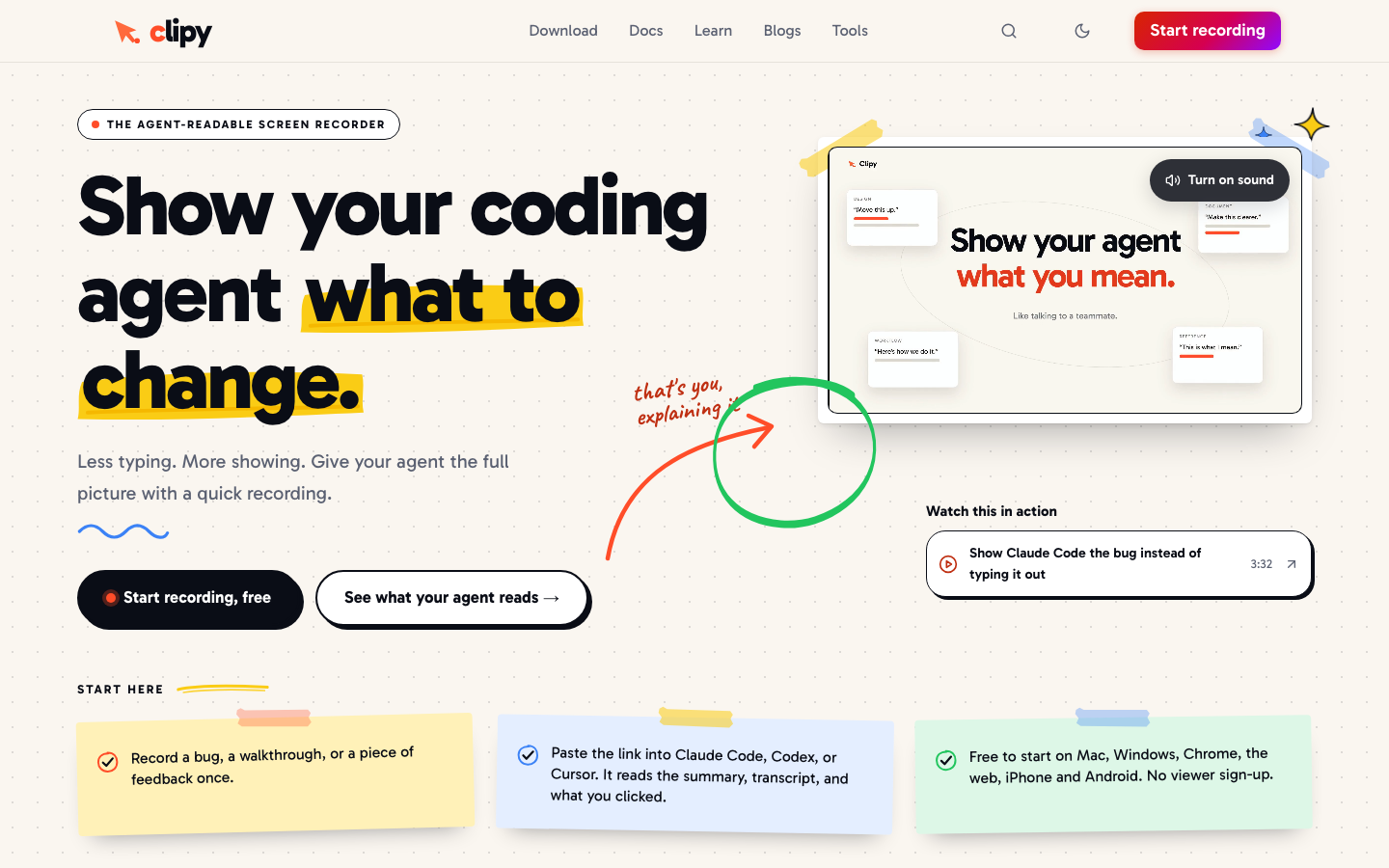
Clipy is an agent-readable screen recorder designed to streamline software development workflows by providing visual and contextual feedback directly to AI coding assistants. Instead of relying solely on text descriptions, developers can record a bug, feature walkthrough, or design critique in a single take. The platform automatically generates structured summaries, transcripts, click paths, and key-moment frames that compatible tools like Claude Code, Cursor, and Codex can parse and act upon. This approach reduces manual documentation efforts while ensuring that human reviewers and automated

Clipy screenshot
Try Clipy

Website: clipy.online

What is Clipy?

Clipy is an agent-readable screen recorder designed to streamline software development workflows by providing visual and contextual feedback directly to AI coding assistants. Instead of relying solely on text descriptions, developers can record a bug, feature walkthrough, or design critique in a single take. The platform automatically generates structured summaries, transcripts, click paths, and key-moment frames that compatible tools like Claude Code, Cursor, and Codex can parse and act upon. This approach reduces manual documentation efforts while ensuring that human reviewers and automated

At a Glance

Pricing
Not specified
Status
Approved
Platform
Web
Category
AI Agent Tools, AI Productivity, Code Assistance
Tags
bug-tracking, claude-code, coding-agents, cursor-editor, developer-tools, local-ai, screen-recorder, video-context

Why Choose Clipy

Automated Context Extraction

Clipy automatically generates structured summaries, full transcripts, click logs, and timestamped frames from recordings so coding agents can instantly understand reported issues without manual parsing.

Multi-Platform Recording

Captures screen, specific tabs, windows, or camera feeds natively across Mac, Windows, Chrome, web browsers, iPhone, and Android devices for flexible capture workflows. Clipy is an agent-readable screen recorder designed to streamline software development workflows by providing visual and contextual feedback directly to AI coding assistants. Instead of relying.

Seamless Agent Integration

Outputs shareable links that function simultaneously for human viewers and AI models, allowing Claude Code, Cursor, and Codex to read metadata and execute suggested fixes.

Local AI Processing

Offers an optional privacy-focused mode that keeps sensitive code and project data entirely on the user’s machine during transcription and analysis. Clipy is an agent-readable screen recorder designed to streamline software development workflows by providing visual and contextual feedback directly to AI coding assistants. Instead of relying.

Legacy Video Import

Allows developers to download and convert existing Loom recordings into agent-ready formats, preserving original narration while adding clickable visual context layers. Clipy is an agent-readable screen recorder designed to streamline software development workflows by providing visual and contextual feedback directly to AI coding assistants. Instead of relying.

How to Use Clipy

  1. 1

    Install and Launch Application

    Download Clipy for your operating system and open the interface to select your preferred recording region.

  2. 2

    Capture Development Feedback

    Press the recording button while demonstrating a bug, navigating a new feature, or explaining a UI adjustment to generate automatic metadata.

  3. 3

    Configure Output Settings

    Choose whether to include camera footage, isolate specific browser tabs, or enable local processing before finalizing the clip for distribution.

  4. 4

    Share with AI Assistants

    Paste the generated link directly into your coding environment so the agent reads the transcript, click path, and frame highlights to propose solutions.

Best For

  • Reporting complex UI bugs

    Who: Frontend developers and QA testers · Eliminates ambiguous text reports by providing clickable video evidence that enables Clipy to analyze interaction patterns and suggest precise CSS or DOM adjustments.

  • Onboarding new team members

    Who: Engineering managers and junior programmers · Replaces lengthy written documentation with interactive walkthroughs that allow AI tutors to answer follow-up questions based on recorded workflow demonstrations.

  • Reviewing third-party API integrations

    Who: Backend engineers and DevOps specialists · Captures network request failures and response payloads visually, enabling automated debugging scripts to correlate errors with specific user actions.

  • Collaborating on design prototypes

    Who: Product designers and full-stack developers · Bridges communication gaps by converting static mockups into dynamic recordings where agents can extract component states and interaction logic.

Frequently Asked Questions About Clipy

Does Clipy require users to create an account to view shared recordings?

No, Clipy requires no user accounts or login credentials, as every generated link functions immediately for both human viewers and AI agents.

Which coding assistants are currently supported?

The platform is optimized for Claude Code, Cursor, and Codex, delivering structured context that these models can directly interpret and act upon.

Is my source code stored on external servers?

You can enable the local AI processing option to ensure all transcription, analysis, and metadata generation happens entirely on your personal device.

Can I convert existing video recordings into agent-readable format?

Yes, you can download current Loom videos and import them into Clipy to automatically attach clickable context layers and structured summaries.

What platforms support the recording client?

Native applications are available for Mac and Windows, while web-based, Chrome extension, iPhone, and Android versions cover additional capture needs.

How does the tool handle audio and camera inputs?

Users can toggle microphone narration and webcam feeds independently, allowing silent technical demos or fully narrated walkthroughs depending on the requirement.