
Sponsored byMixinflow
AI Image EnhancementDesign AssistanceAI ProductivityApproved
CutoutBG icon

CutoutBG

CutoutBG AI is a free online tool designed to remove backgrounds from

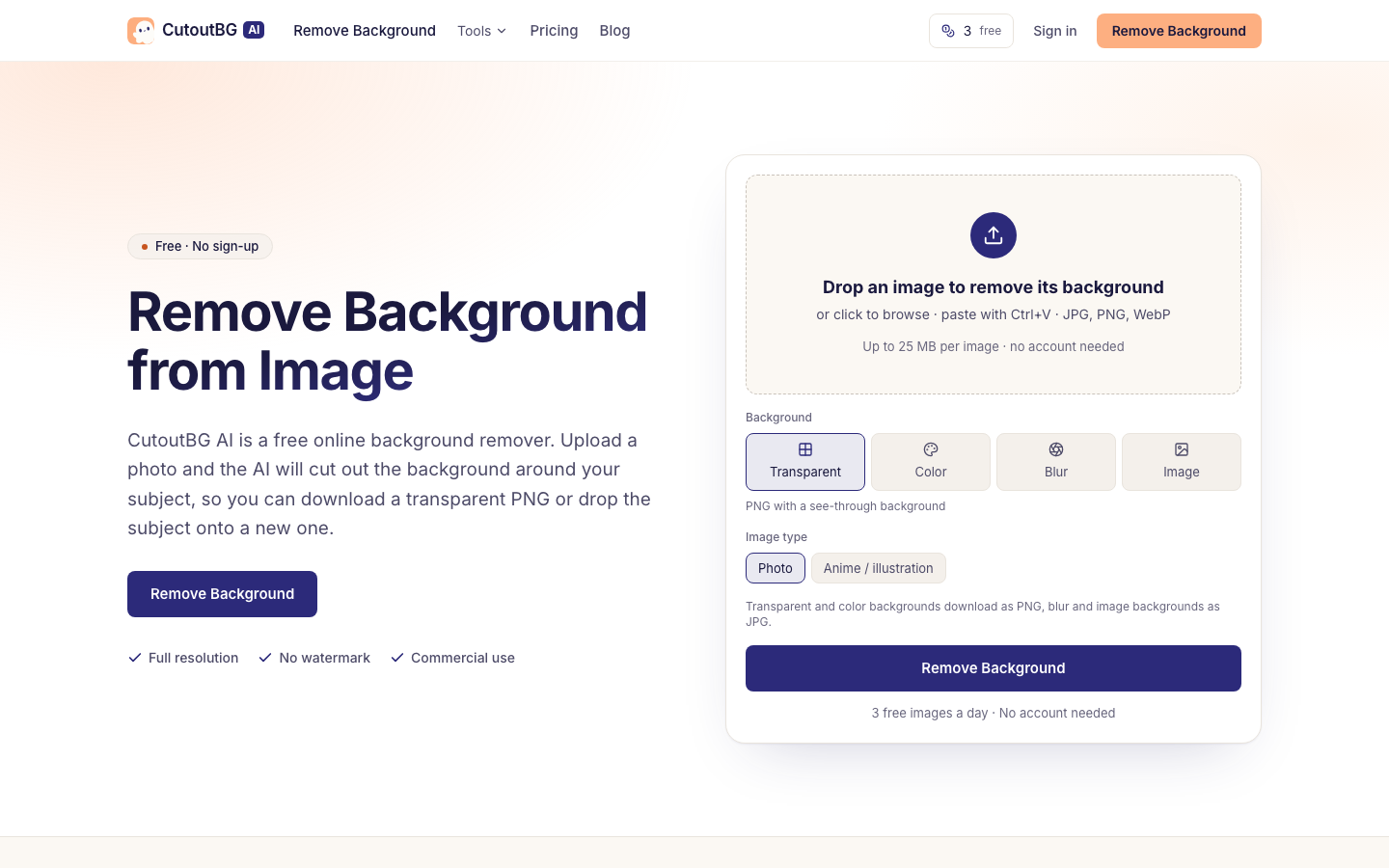
CutoutBG AI is a free online tool designed to remove backgrounds from images. Utilizing artificial intelligence, it automatically detects and isolates the subject within a photo, allowing users to download the result as a transparent PNG. Alternatively, users can choose to place the subject onto a new background, such as a solid color, a blurred version of the original image, or a completely different photo. This process is straightforward, requiring only an image upload and a few clicks to achieve a professional-looking cutout.

CutoutBG screenshot
Try CutoutBG

Website: cutoutbg.ai

What is CutoutBG?

CutoutBG AI is a free online tool designed to remove backgrounds from images. Utilizing artificial intelligence, it automatically detects and isolates the subject within a photo, allowing users to download the result as a transparent PNG. Alternatively, users can choose to place the subject onto a new background, such as a solid color, a blurred version of the original image, or a completely different photo. This process is straightforward, requiring only an image upload and a few clicks to achieve a professional-looking cutout.

At a Glance

Pricing
Not specified
Status
Approved
Platform
Web
Category
AI Image Enhancement, Design Assistance, AI Productivity
Tags
ai-tool, background-remover, free-tool, image-editing, photo-editing, transparent-png

Why Choose CutoutBG

Automatic Background Removal

Leverages AI to precisely cut out the subject from any image, preserving fine details like hair and fur. CutoutBG AI is a free online tool designed to remove backgrounds from images. Utilizing artificial intelligence, it automatically detects and isolates the subject within a photo,.

Multiple Background Options

Allows users to download transparent PNGs or replace the background with solid colors, blurred images, or custom photos. CutoutBG AI is a free online tool designed to remove backgrounds from images. Utilizing artificial intelligence, it automatically detects and isolates the subject within a photo,.

Support for Various Formats

Accepts JPG, PNG, and WebP image files for background removal. CutoutBG AI is a free online tool designed to remove backgrounds from images. Utilizing artificial intelligence, it automatically detects and isolates the subject within a photo,.

High-Quality Output

Downloads images at the original uploaded size without watermarks, suitable for commercial use. CutoutBG AI is a free online tool designed to remove backgrounds from images. Utilizing artificial intelligence, it automatically detects and isolates the subject within a photo,.

User-Friendly Interface

Offers simple drag-and-drop functionality or direct upload, with an option to paste images from the clipboard. CutoutBG AI is a free online tool designed to remove backgrounds from images. Utilizing artificial intelligence, it automatically detects and isolates the subject within a photo,.

How to Use CutoutBG

  1. 1

    Upload Your Image

    Drag and drop your JPG, PNG, or WebP file into the designated area, click to browse your files, or paste an image directly from your clipboard.

  2. 2

    Let the AI Process

    The AI will automatically detect the subject and remove the background. Select 'Photo' for real images or 'Anime / illustration' for graphics.

  3. 3

    Customize and Download

    Choose to download the image with a transparent background or select a new background color, blur, or image before downloading the final result.

Best For

  • E-commerce Product Photography

    Who: Online Sellers · Create clean product images with transparent backgrounds for listings, improving visual appeal and consistency.

  • Social Media Content Creation

    Who: Content Creators · Easily isolate subjects for graphics, memes, or promotional posts, placing them on various backgrounds.

  • Personal Photo Editing

    Who: Individuals · Remove unwanted backgrounds from personal photos for creative projects or to create custom avatars.

  • Logo and Signature Design

    Who: Designers · Extract logos or signatures from existing documents or images for use in new designs.

  • Website Asset Preparation

    Who: Web Developers · Generate transparent PNGs of icons or graphics needed for website design and development.

Frequently Asked Questions About CutoutBG

Is CutoutBG AI free to use?

Yes, CutoutBG AI offers a free tier that allows for a limited number of background removals per day without requiring an account.

What file types can I upload?

You can upload JPG, PNG, and WebP image files to CutoutBG AI.

What is the maximum file size for uploads?

Images can be up to 25 MB per file on the free allowance.

Can I use the removed backgrounds for commercial purposes?

Yes, the images processed by CutoutBG AI can be used for commercial purposes without watermarks.

Does the tool work on illustrations and anime?

Yes, CutoutBG AI provides an option specifically for 'Anime / illustration' to better handle non-photographic content.

How does the AI handle fine details like hair?

The AI is designed to preserve soft edges and fine details such as hair and fur, rendering them as partly transparent pixels.

Do I need to create an account to use the tool?

No account is needed to remove backgrounds using CutoutBG AI, especially for the free daily allowance.