Sponsored byMixinflow
Video GenerationAI WritingApproved
FLUX 3 Video Generator icon

FLUX 3 Video Generator

FLUX 3 Video is a multimodal video generator developed by Black Forest

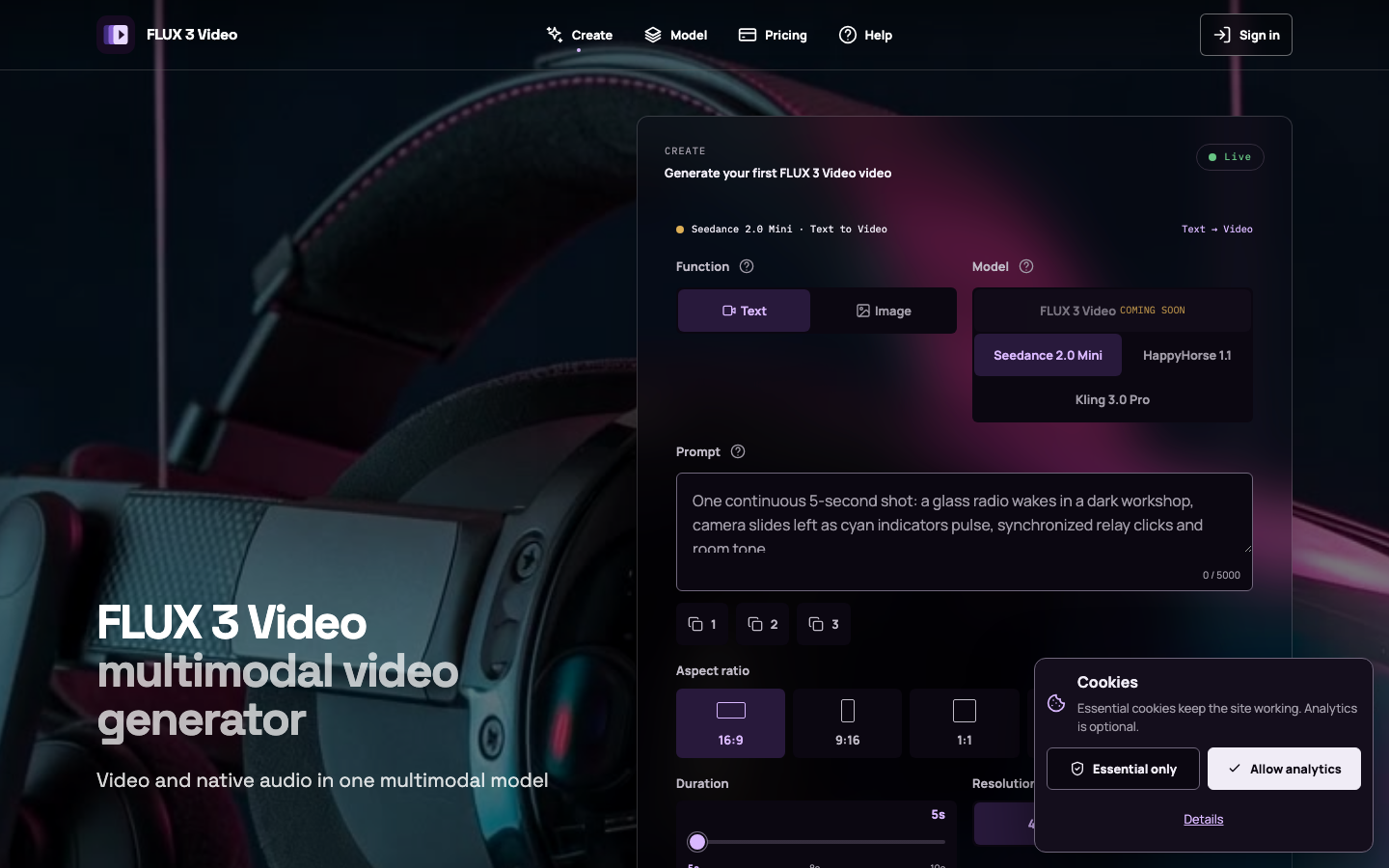
FLUX 3 Video is a multimodal video generator developed by Black Forest Labs that creates both video and synchronized native audio from various inputs. It supports text-to-video, image-to-video, video-to-video, and audio-video continuation. FLUX 3 Video allows for keyframe control, multilingual dialogue, and native sound, producing clips up to 20 seconds. This integrated approach places visual actions and audio cues on a single timeline, offering creators direct control over camera movement, performance, ambience, sound effects, and spoken dialogue, making FLUX 3 Video a comprehensive tool for

FLUX 3 Video Generator screenshot
Try FLUX 3 Video Generator

Website: flux3-video.online

What is FLUX 3 Video Generator?

FLUX 3 Video is a multimodal video generator developed by Black Forest Labs that creates both video and synchronized native audio from various inputs. It supports text-to-video, image-to-video, video-to-video, and audio-video continuation. FLUX 3 Video allows for keyframe control, multilingual dialogue, and native sound, producing clips up to 20 seconds. This integrated approach places visual actions and audio cues on a single timeline, offering creators direct control over camera movement, performance, ambience, sound effects, and spoken dialogue, making FLUX 3 Video a comprehensive tool for

At a Glance

Pricing
Not specified
Status
Approved
Platform
Web
Category
Video Generation, AI Writing
Tags
ai-video-generator, audio-video-generation, cinematic-video, image-to-video, text-to-video, video-to-video

Why Choose FLUX 3 Video Generator

Joint Picture and Sound Generation

FLUX 3 Video generates movement, dialogue, ambience, sound effects, and intentional silence on a single, synchronized timeline, ensuring seamless integration between visual and auditory elements.

Multiple Creation Modes

Start video generation from text prompts, an existing image, a video reference, or audio input, providing flexibility for different creative workflows with FLUX 3 Video.

Keyframe Control

Utilize keyframes to precisely dictate specific moments or transitions within the video, allowing for detailed artistic direction and control over the final output of FLUX 3 Video.

Native Audio and Dialogue

FLUX 3 Video supports the creation of native sound, including multilingual dialogue and ambient soundscapes, directly synchronized with the video content. FLUX 3 Video is a multimodal video generator developed by Black Forest Labs that creates both video and synchronized native audio from various inputs. It supports.

Extended Clip Length

Generate video clips up to 20 seconds in length, providing more substantial content for various applications and storytelling needs. FLUX 3 Video is a multimodal video generator developed by Black Forest Labs that creates both video and synchronized native audio from various inputs. It supports.

How to Use FLUX 3 Video Generator

  1. 1

    Select Creation Mode

    Choose your starting point: text, image, video reference, or audio for FLUX 3 Video.

  2. 2

    Input Your Prompt

    Enter your text description, upload an image, or provide a video/audio file to guide the FLUX 3 Video generation.

  3. 3

    Configure Settings

    Adjust parameters such as aspect ratio, duration, and resolution, and enable synchronized audio generation.

  4. 4

    Generate Video

    Initiate the video creation process using FLUX 3 Video and await your synchronized video and audio output.

Best For

  • Creating marketing content

    Who: Marketers · Generate engaging video ads with synchronized audio quickly from text or image prompts using FLUX 3 Video.

  • Developing short films

    Who: Filmmakers · Experiment with visual storytelling and dialogue synchronization for short film concepts with FLUX 3 Video's integrated audio-video timeline.

  • Producing social media clips

    Who: Content Creators · Easily produce dynamic video clips with native sound for platforms like TikTok or Instagram using FLUX 3 Video.

  • Visualizing concepts

    Who: Designers · Translate abstract ideas or mood boards into video sequences with accompanying audio using FLUX 3 Video.

  • Prototyping video ideas

    Who: Producers · Rapidly generate and iterate on video concepts with precise control over visuals and audio before full production.

Frequently Asked Questions About FLUX 3 Video Generator

What types of input does FLUX 3 Video support?

FLUX 3 Video supports text, images, video references, and audio as input for generation.

Can FLUX 3 Video generate audio along with video?

Yes, FLUX 3 Video is designed to generate synchronized native audio, including dialogue and ambient sounds, alongside the video.

What is the maximum clip length for FLUX 3 Video?

FLUX 3 Video can generate clips up to 20 seconds in length.

Does FLUX 3 Video offer control over camera movement and performance?

Yes, FLUX 3 Video provides direct control over camera movement, performance, ambience, and other elements through its synchronized timeline.

Is FLUX 3 Video suitable for professional video production?

FLUX 3 Video offers advanced features like keyframe control and synchronized audio-video generation, making it a valuable tool for various production needs.

Can I use my own audio with FLUX 3 Video?

While FLUX 3 Video generates native audio, its capabilities for using external audio directly as input for generation are part of its audio-video continuation features.

What does 'multimodal' mean in the context of FLUX 3 Video?

Multimodal means FLUX 3 Video processes and generates multiple types of data simultaneously, specifically video and audio, in a coordinated manner.