
Sponsored byMixinflow
Image GenerationDesign AssistanceAI Image EnhancementApproved
ImageAgent icon

ImageAgent

ImageAgent is an AI-powered platform that enables users to generate and edit

ImageAgent is an AI-powered platform that enables users to generate and edit images directly through conversational interfaces. Instead of relying on complex prompts or traditional graphic design software, users interact with the system using natural language or reference images. The tool leverages advanced AI models to produce high-quality visuals, apply style transfers, and make precise adjustments within a single chat session. Designed for both creative professionals and casual users, ImageAgent streamlines the visual creation workflow by allowing iterative refinement until the desired outp

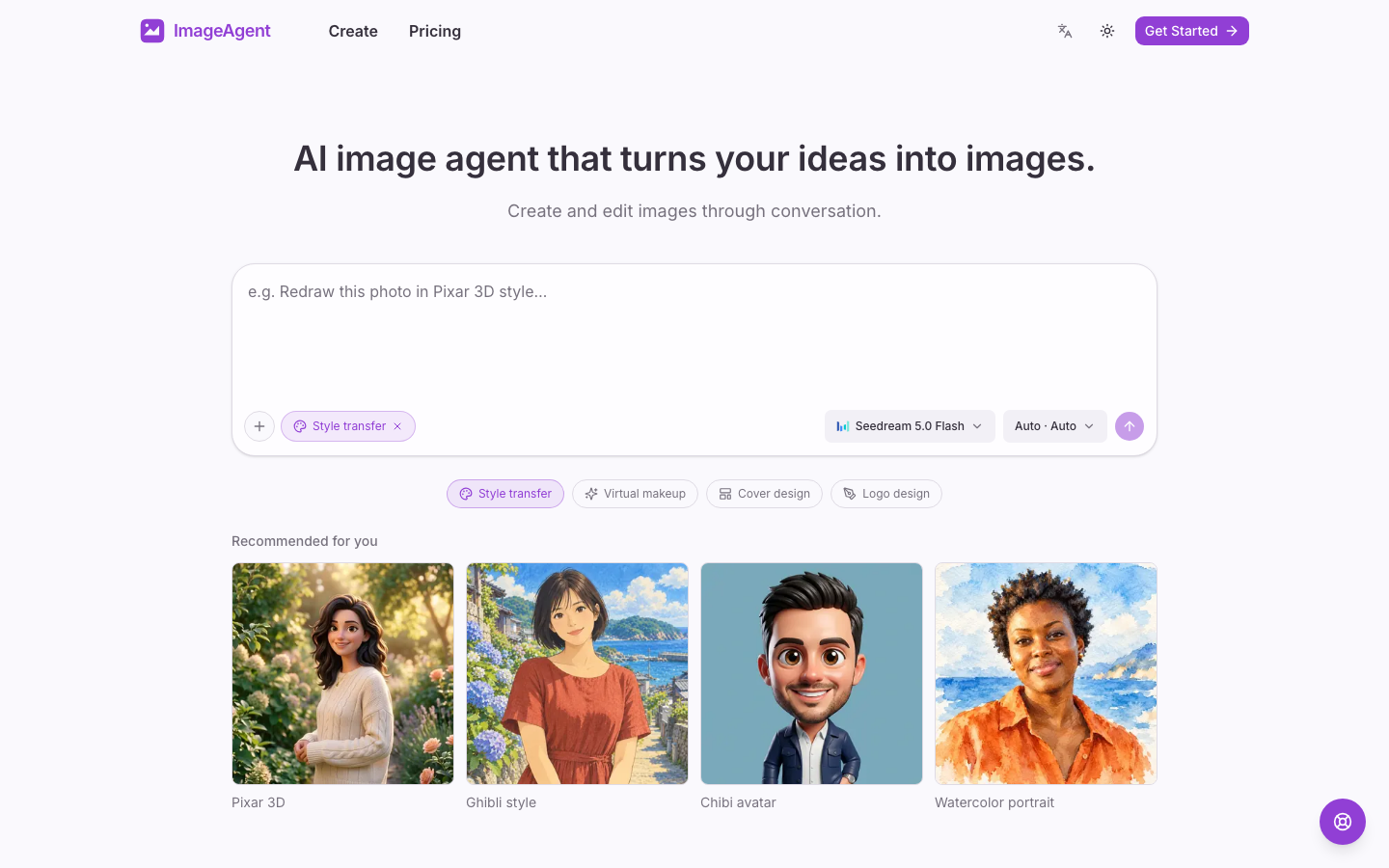
ImageAgent screenshot
Try ImageAgent

Website: imageagent.org

What is ImageAgent?

ImageAgent is an AI-powered platform that enables users to generate and edit images directly through conversational interfaces. Instead of relying on complex prompts or traditional graphic design software, users interact with the system using natural language or reference images. The tool leverages advanced AI models to produce high-quality visuals, apply style transfers, and make precise adjustments within a single chat session. Designed for both creative professionals and casual users, ImageAgent streamlines the visual creation workflow by allowing iterative refinement until the desired outp

At a Glance

Pricing
Not specified
Status
Approved
Platform
Web
Category
Image Generation, Design Assistance, AI Image Enhancement
Tags
ai-visuals, chat-based-editing, design-assistance, style-transfer, image-generation

Why Choose ImageAgent

Conversational Interface

Interact with ImageAgent using natural language commands or upload reference images to initiate the creative process. The chat-based environment allows continuous back-and-forth dialogue to adjust composition, lighting, and style without sw

Style Transfer & Customization

Apply predefined artistic styles such as Pixar 3D, Ghibli animation, or watercolor painting to any input image. Users can blend multiple aesthetics or request specific moods to match their project requirements accurately.

Iterative Refinement Workflow

Keep all modifications within a single ImageAgent conversation thread to maintain context and consistency. Each adjustment builds upon previous outputs, enabling precise control over details like color balance, object placement, and backgro

Prompt Exploration & Reuse

Access and analyze the underlying prompts used by ImageAgent to generate successful images. Users can copy these prompts for future projects or modify them to experiment with new visual directions efficiently.

Multi-Model Support

Utilize different underlying AI engines optimized for specific tasks, ensuring high-quality outputs across various formats. The system automatically selects appropriate models based on user inputs to maximize accuracy and speed.

How to Use ImageAgent

  1. 1

    Upload Reference Material

    Provide an initial image or describe your concept to establish the starting point for the generation process.

  2. 2

    Initiate Creative Dialogue

    Type natural language requests to ImageAgent to specify desired styles, compositions, or modifications within the chat interface.

  3. 3

    Refine Output Iteratively

    Review generated results and send follow-up messages to adjust colors, remove objects, or enhance details until satisfied.

  4. 4

    Export Final Design

    Download the completed image in standard formats once all adjustments meet your project requirements.

Best For

  • Product Photography Mockups

    Who: E-commerce managers · Quickly visualize products in different settings without organizing expensive photo shoots.

  • Social Media Content Creation

    Who: Digital marketers · Generate consistent brand visuals rapidly by adjusting styles and layouts through simple chat commands.

  • Book Cover & Layout Design

    Who: Self-publishing authors · Experiment with typography, imagery, and color schemes iteratively to find the most appealing cover concept.

  • Concept Art Development

    Who: Game developers · Rapidly prototype character designs and environments using style references and detailed textual descriptions.

Frequently Asked Questions About ImageAgent

Can I edit existing photos using ImageAgent?

Yes, you can upload reference images and describe specific changes to modify lighting, backgrounds, or stylistic elements through the chat interface.

Does the platform require graphic design experience?

No, the conversational interface is designed for users of all skill levels, translating natural language requests into visual adjustments automatically.

How are generated prompts handled?

Each created image includes its underlying prompt, which you can view, copy, or modify to replicate or adapt the result later.

What file formats are available for download?

Completed images can be exported in standard formats suitable for digital publishing, presentations, and social media sharing.

Can I combine multiple artistic styles?

The system supports style blending, allowing you to merge aesthetic influences like watercolor and 3D rendering within a single conversation.

Is there a limit to conversation length?

Users can maintain extended dialogues to refine complex projects, with the interface preserving context throughout the entire creative session.