Sponsored byMixinflow
AI Image EnhancementAI WritingReference & InformationApproved
ImageToPrompts icon

ImageToPrompts

ImageToPrompts is a free online tool that allows users to generate detailed

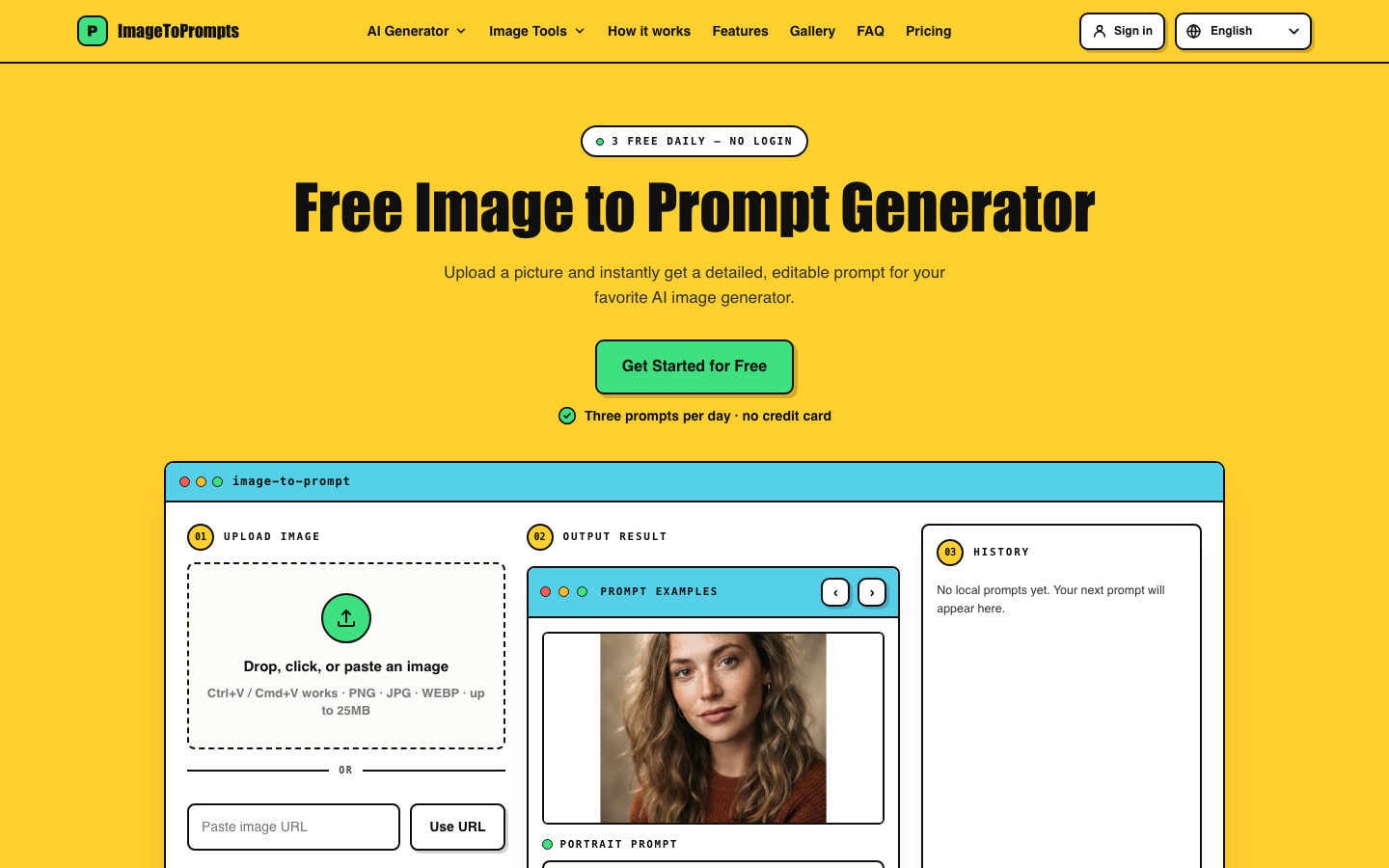
ImageToPrompts is a free online tool that allows users to generate detailed AI prompts from any image. By uploading an image, the tool analyzes its composition, subject, lighting, and style to create an editable prompt. This prompt can then be used with various AI image generators to recreate or modify the original image. ImageToPrompts offers three free generations daily without requiring a login or displaying watermarks, ensuring private processing of uploaded images. The service supports common image formats like JPG, PNG, and WEBP.

ImageToPrompts screenshot
Try ImageToPrompts

Website: imagetoprompts.io

What is ImageToPrompts?

ImageToPrompts is a free online tool that allows users to generate detailed AI prompts from any image. By uploading an image, the tool analyzes its composition, subject, lighting, and style to create an editable prompt. This prompt can then be used with various AI image generators to recreate or modify the original image. ImageToPrompts offers three free generations daily without requiring a login or displaying watermarks, ensuring private processing of uploaded images. The service supports common image formats like JPG, PNG, and WEBP.

At a Glance

Pricing
Not specified
Status
Approved
Platform
Web
Category
AI Image Enhancement, AI Writing, Reference & Information
Tags
ai-art-tools, ai-prompt-generator, free-ai-tool, image-to-prompt, prompt-engineering, reverse-engineering-images

Why Choose ImageToPrompts

Free Daily Generations

Access three free image-to-prompt generations each day without needing an account or providing payment information. ImageToPrompts is a free online tool that allows users to generate detailed AI prompts from any image. By uploading an image, the tool analyzes its composition,.

No Login Required

Start generating prompts immediately upon visiting the site; no registration or account creation is necessary. ImageToPrompts is a free online tool that allows users to generate detailed AI prompts from any image. By uploading an image, the tool analyzes its composition,.

Multiple Prompt Types

Choose between General Prompt, Structured Prompt, or JSON Prompt formats to suit your AI image generator's requirements. ImageToPrompts is a free online tool that allows users to generate detailed AI prompts from any image. By uploading an image, the tool analyzes its composition,.

Private Processing

Your uploaded images and generated prompts are processed privately, ensuring your content remains confidential. ImageToPrompts is a free online tool that allows users to generate detailed AI prompts from any image. By uploading an image, the tool analyzes its composition,.

Broad Image Support

Upload images via drag-and-drop, file selection, pasting, or by providing a public URL. Supports JPG, PNG, and WEBP formats up to 25MB. ImageToPrompts is a free online tool that allows users to generate detailed AI prompts from any image. By uploading an image, the tool analyzes its composition,.

How to Use ImageToPrompts

  1. 1

    Upload Your Image

    Drag and drop your image file, paste it, select it from your device, or enter a public image URL into the ImageToPrompts interface.

  2. 2

    Select Prompt Type and Language

    Choose your desired prompt type (General, Structured, or JSON) and select the output language for the generated prompt.

  3. 3

    Generate and Copy Prompt

    Click the 'Generate' button to receive a detailed AI prompt based on your image. Copy the generated prompt to use in your preferred AI image generator.

  4. 4

    Create Your Image

    Paste the copied prompt into an AI image generator and create your own version of the image.

Best For

  • Recreating a specific art style

    Who: Digital artists · Generate prompts that capture the essence of a desired artistic style from reference images, enabling consistent creation.

  • Reverse-engineering AI-generated images

    Who: AI art enthusiasts · Understand the prompts behind impressive AI art by converting images back into descriptive text prompts for learning and experimentation.

  • Generating variations of an existing image

    Who: Content creators · Obtain prompts that describe the key elements of an image, allowing for the creation of similar but unique visuals for marketing or social media.

  • Learning prompt engineering techniques

    Who: Beginner AI artists · Analyze the detailed prompts generated by ImageToPrompts to learn how specific elements like lighting, composition, and style are described.

  • Finding inspiration for new creations

    Who: Designers and hobbyists · Use the 'Popular Prompts Gallery' to discover and adapt prompts derived from trending or interesting images.

Frequently Asked Questions About ImageToPrompts

How many free image-to-prompt generations can I get?

You can generate up to three prompts per day for free with ImageToPrompts. This allowance resets daily.

Do I need to create an account to use ImageToPrompts?

No, ImageToPrompts does not require any login or account creation. You can use the tool immediately upon visiting the website.

What image file types does ImageToPrompts support?

ImageToPrompts supports JPG, PNG, and WEBP image file formats.

Is there a size limit for uploaded images?

Yes, uploaded images can be up to 25MB in size.

Can I use a URL to generate a prompt?

Yes, you can paste a public image URL directly into ImageToPrompts to generate a prompt.

Are my uploaded images kept private?

Yes, ImageToPrompts ensures private processing of your uploaded images and generated prompts.

What are the different prompt types available?

ImageToPrompts offers General Prompt, Structured Prompt, and JSON Prompt options to cater to different AI image generator needs.

Can I edit the generated prompt?

Yes, the prompts generated by ImageToPrompts are editable, allowing you to refine them further before using them.