Sponsored byMixinflow
AI 3D ToolsDesign AssistanceAI ProductivityApproved
Image to STL Converter icon

Image to STL Converter

ImageToSTL.online is a free, in-browser tool that converts 2D images (PNG, JPG,

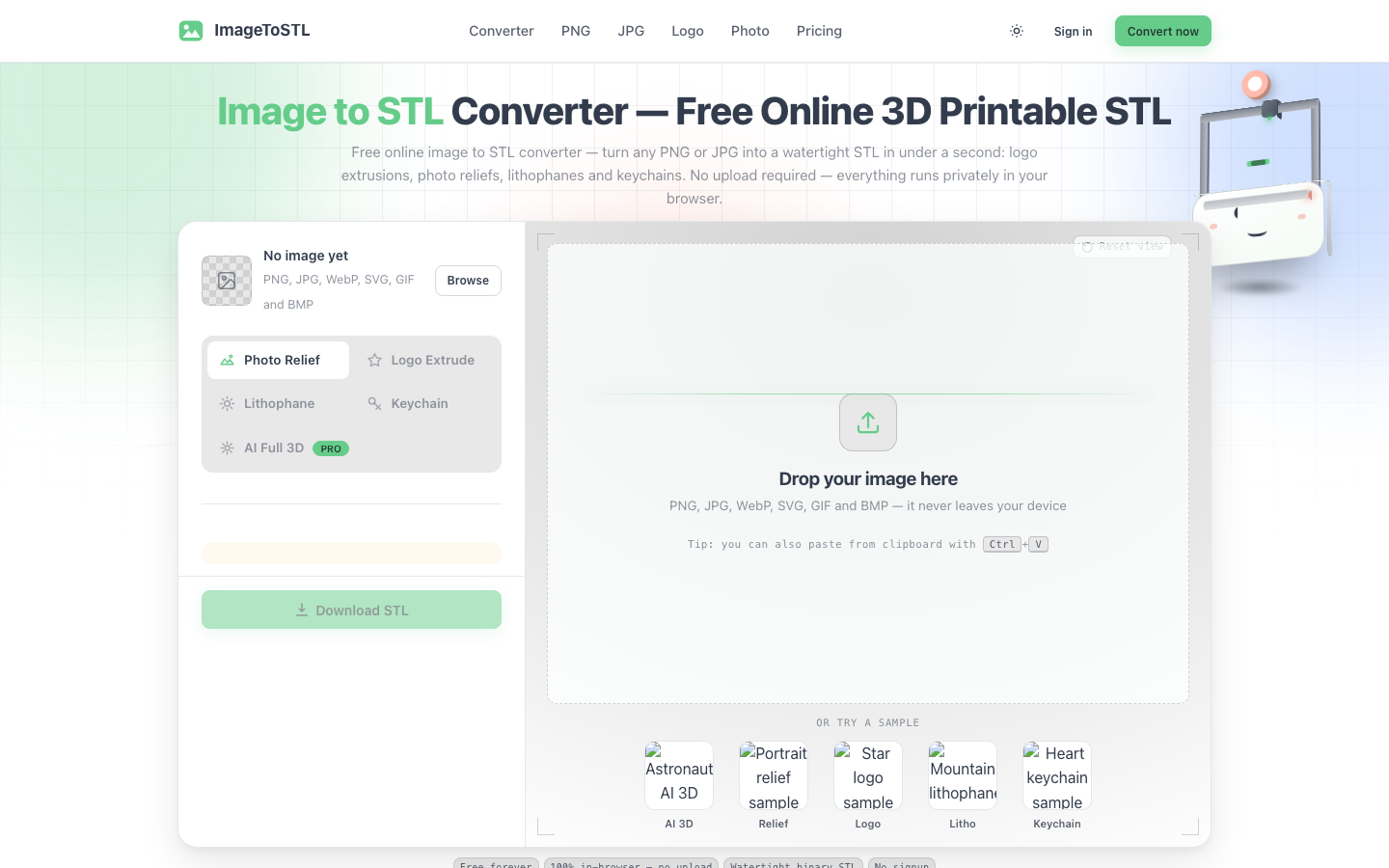
ImageToSTL.online is a free, in-browser tool that converts 2D images (PNG, JPG, WebP, SVG, GIF, BMP) into 3D-printable STL files. Designed for makers, it allows users to transform photos, logos, and other images into watertight 3D models for printing. The process is fast, completing conversions in under a second, and entirely private as all operations occur directly within the user's browser without requiring uploads or sign-ups. ImageToSTL.online offers various modes to create different types of 3D objects, such as reliefs, lithophanes, keychains, and logo extrusions.

Image to STL Converter screenshot
Try Image to STL Converter

Website: imagetostl.online

What is Image to STL Converter?

ImageToSTL.online is a free, in-browser tool that converts 2D images (PNG, JPG, WebP, SVG, GIF, BMP) into 3D-printable STL files. Designed for makers, it allows users to transform photos, logos, and other images into watertight 3D models for printing. The process is fast, completing conversions in under a second, and entirely private as all operations occur directly within the user's browser without requiring uploads or sign-ups. ImageToSTL.online offers various modes to create different types of 3D objects, such as reliefs, lithophanes, keychains, and logo extrusions.

At a Glance

Pricing
Not specified
Status
Approved
Platform
Web
Category
AI 3D Tools, Design Assistance, AI Productivity
Tags
3d-printing, image-to-stl, jpg-to-stl, lithophane, logo-extrusion, png-to-stl, stl-converter

Why Choose Image to STL Converter

In-Browser Conversion

All image to STL conversions happen directly in your web browser, ensuring privacy and eliminating the need for software downloads or file uploads. ImageToSTL.online keeps your data on your device.

Rapid Conversion Speed

Transform your 2D images into 3D STL files in under a second. The preview rebuilds instantly as you adjust settings, making the ImageToSTL.online process highly efficient.

Watertight STL Output

ImageToSTL.online generates watertight, binary STL files that are ready for 3D printing. Models are exported in real millimeters, ensuring accurate dimensions for your prints.

Multiple Conversion Modes

Choose from various modes like Photo Relief, Logo Extrude, Lithophane Maker, and Keychain to create diverse 3D objects from a single image using ImageToSTL.online.

Free and Unlimited Use

Enjoy unlimited free image to STL conversions without any account requirements, watermarks, or file size limitations. ImageToSTL.online is completely free for all users. ImageToSTL.online is a free, in-browser tool that converts 2D images (PNG, JPG, WebP, SVG, GIF, BMP) into 3D-printable STL files. Designed for makers, it allows users.

How to Use Image to STL Converter

  1. 1

    Upload or Paste Image

    Drag and drop your PNG or JPG image file into the designated area, or paste it directly from your clipboard using Ctrl+V into ImageToSTL.online.

  2. 2

    Select Conversion Mode

    Choose the desired mode from the options provided, such as Photo Relief, Logo Extrude, Lithophane Maker, or Keychain, to define the type of 3D model you want to create.

  3. 3

    Adjust Settings and Preview

    Fine-tune parameters by dragging sliders to adjust the 3D model. Observe the real-time preview rebuild as you make changes to achieve your desired result with ImageToSTL.online.

  4. 4

    Download STL File

    Once satisfied with the preview, click the 'Download STL' button to save your watertight 3D model file, ready for your 3D printer.

Best For

  • Creating custom keychains

    Who: Hobbyists and makers · Transform personal photos or logos into unique, 3D-printed keychains using ImageToSTL.online.

  • Producing 3D printed logos

    Who: Small businesses and designers · Generate embossed or debossed 3D logos for display or branding purposes from 2D logo files with ImageToSTL.online.

  • Making personalized lithophanes

    Who: Gift-givers and photographers · Convert cherished photographs into detailed lithophanes that reveal the image when backlit, using ImageToSTL.online.

  • Designing 3D reliefs from images

    Who: 3D printing enthusiasts · Add depth and texture to flat images, turning them into printable 3D relief models with ImageToSTL.online.

  • Rapid prototyping for small parts

    Who: Product designers and engineers · Quickly convert simple 2D designs or icons into basic 3D printable prototypes using ImageToSTL.online.

Frequently Asked Questions About Image to STL Converter

Is ImageToSTL.online free to use?

Yes, ImageToSTL.online offers unlimited free image to STL conversions without any hidden costs, watermarks, or account requirements.

Do I need to upload my images?

No, ImageToSTL.online operates entirely in your browser. Your images are processed locally on your device and are never uploaded to a server, ensuring privacy.

What image formats does ImageToSTL.online support?

ImageToSTL.online supports a wide range of formats including PNG, JPG, WebP, SVG, GIF, and BMP.

What kind of 3D models can I create?

You can create various models such as logo extrusions, photo reliefs, lithophanes, and keychains from your 2D images using ImageToSTL.online.

Are the generated STL files suitable for 3D printing?

Yes, ImageToSTL.online generates watertight, binary STL files that are specifically designed to be ready for 3D printing.

How fast is the conversion process?

The conversion process is very fast, typically completing in under a second. The preview also updates in real-time as you adjust settings.

Do I need to create an account to use ImageToSTL.online?

No, there is no need to sign up or create an account to use ImageToSTL.online. You can start converting images immediately.