
Sponsored byMixinflow
Image GenerationDesign AssistanceApproved
Inkspo icon

Inkspo

Inkspo is a free AI tattoo generator designed to help users create

Inkspo is a free AI tattoo generator designed to help users create custom tattoo designs in seconds without requiring any account registration. The platform leverages advanced artificial intelligence to transform simple text descriptions or uploaded images into detailed artwork tailored to specific tattoo styles. Users can select from a wide range of artistic approaches, including fine line, blackwork, realism, watercolor, and traditional Japanese motifs. By combining artist-guided prompting techniques with customizable placement and size parameters, Inkspo provides a practical starting point

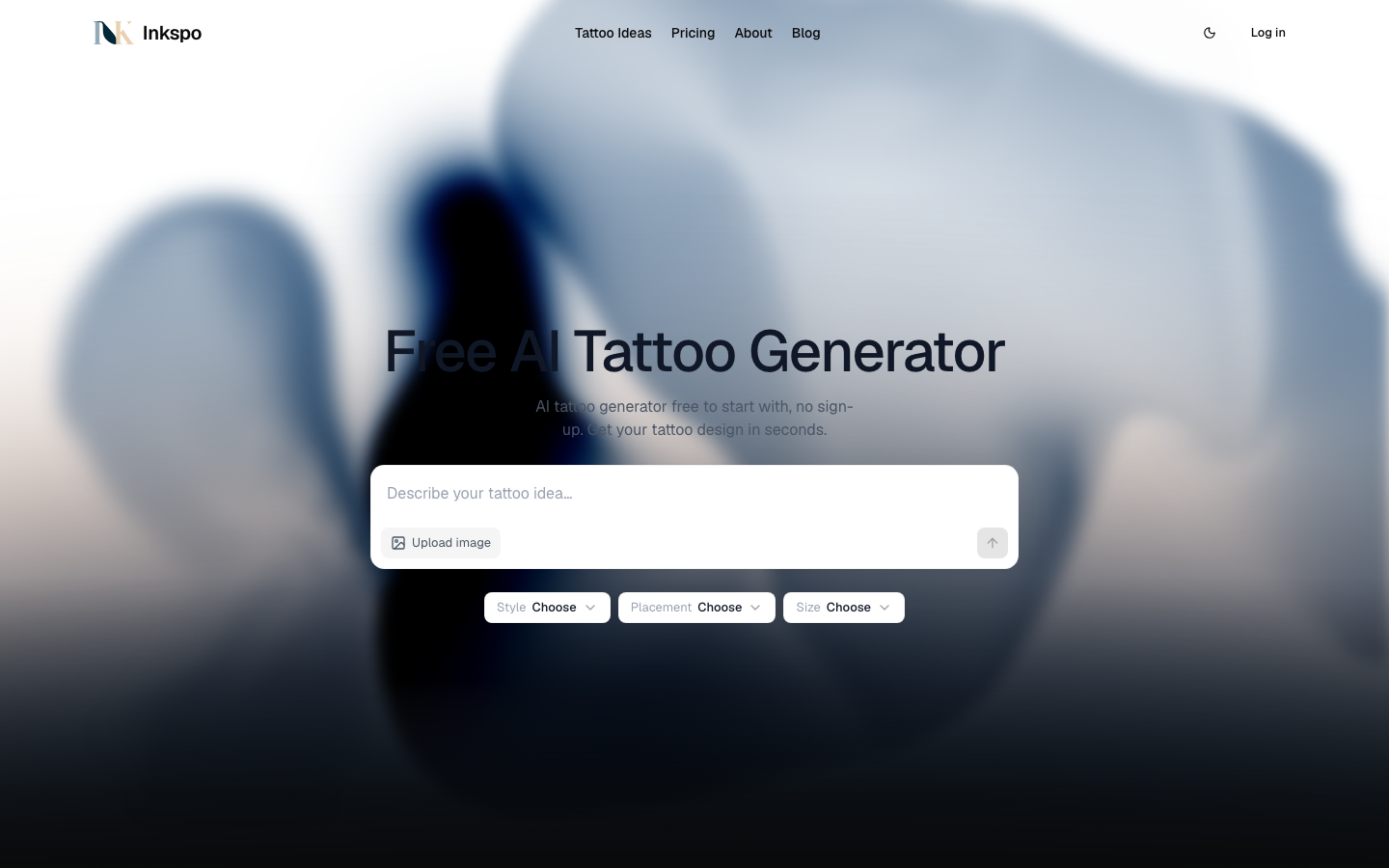
Inkspo screenshot
Try Inkspo

Website: inkspo.ai

What is Inkspo?

Inkspo is a free AI tattoo generator designed to help users create custom tattoo designs in seconds without requiring any account registration. The platform leverages advanced artificial intelligence to transform simple text descriptions or uploaded images into detailed artwork tailored to specific tattoo styles. Users can select from a wide range of artistic approaches, including fine line, blackwork, realism, watercolor, and traditional Japanese motifs. By combining artist-guided prompting techniques with customizable placement and size parameters, Inkspo provides a practical starting point

At a Glance

Pricing
Not specified
Status
Approved
Platform
Web
Category
Image Generation, Design Assistance
Tags
ai-art, design-tool, free-ai-tool, no-signup, style-customization, tattoo-generator

Why Choose Inkspo

Instant Design Generation

Create unique tattoo artwork within seconds by entering a brief description or uploading a reference image. The system processes inputs rapidly to deliver visual concepts without waiting for manual artist commissions.

Comprehensive Style Library

Access a curated collection of tattoo aesthetics ranging from minimalist and geometric patterns to realistic portraits and cultural traditions like Irezumi and Chinese brush painting. Each style is optimized for accurate rendering.

Customizable Parameters

Adjust generation settings to specify preferred placement on the body and desired size dimensions. This ensures the output aligns with anatomical considerations and personal scaling requirements before finalizing a concept.

No Registration Required

Begin generating designs immediately without creating an account or providing personal information. The Inkspo platform prioritizes accessibility and privacy, allowing unrestricted exploration of creative possibilities directly through the

Artist-Inspired Prompting

Utilize structured prompt templates developed with input from experienced tattoo professionals. These guidelines ensure generated images maintain proper composition, shading expectations, and stylistic authenticity suitable for actual skin

How to Use Inkspo

  1. 1

    Access the Generator Interface

    Navigate to the Inkspo landing page and locate the central input field where you can type your tattoo concept or upload a reference image.

  2. 2

    Select Artistic Style

    Browse the available style categories such as fine line, blackwork, or realism, and click your preferred option to apply the corresponding aesthetic rules to your design.

  3. 3

    Configure Placement and Size

    Use the dropdown menus to specify where the tattoo will be placed on the body and adjust the relative dimensions to match your intended scale.

  4. 4

    Generate and Review Concepts

    Click the generate button to produce multiple variations, then scroll through the results to identify the most suitable design for further refinement or artist consultation.

Best For

  • Exploring new body art ideas using Inkspo before committing to permanent ink.

    Who: First-time tattoo clients · Reduces uncertainty by providing visual references that clarify abstract concepts.

  • Communicating specific aesthetic preferences to a professional tattoo artist.

    Who: Existing tattoo enthusiasts · Streamlines consultations by offering concrete examples of desired styles, colors, and compositions.

  • Brainstorming temporary or cover-up designs for special events.

    Who: Event planners and performers · Enables rapid iteration of thematic visuals that align with costume or performance requirements.

  • Testing layout compatibility across different body regions.

    Who: Individuals planning multi-piece tattoo collections · Helps visualize how separate designs might interact when scaled and positioned on various anatomical areas.

Frequently Asked Questions About Inkspo

Is Inkspo completely free to use?

Yes, the platform allows users to generate tattoo designs at no cost without requiring payment or subscription plans.

Do I need to create an account to access the tool?

No, the generator operates without mandatory registration, enabling immediate access and design creation upon visiting the website.

What file formats are accepted for image uploads?

Users can upload reference images in JPG or PNG formats, with a maximum file size limit of four megabytes.

Can the AI replicate specific tattoo styles accurately?

The system is trained on diverse artistic approaches and applies style-specific parameters to closely match requested aesthetics like realism, dotwork, or traditional motifs.

Are the generated designs ready for direct tattoo application?

The outputs serve as conceptual inspiration rather than finalized stencils. Professional artists typically refine these concepts to ensure proper technical execution on skin.

How does the placement selection feature work?

Users can indicate general body regions during generation, helping the AI adjust proportions and orientation to better suit the intended anatomical location.