Sponsored byMixinflow
AI 3D ToolsAI WritingImage GenerationApproved
Kreat3D icon

Kreat3D

Kreat3D is an AI-powered platform designed for the rapid creation of 3D

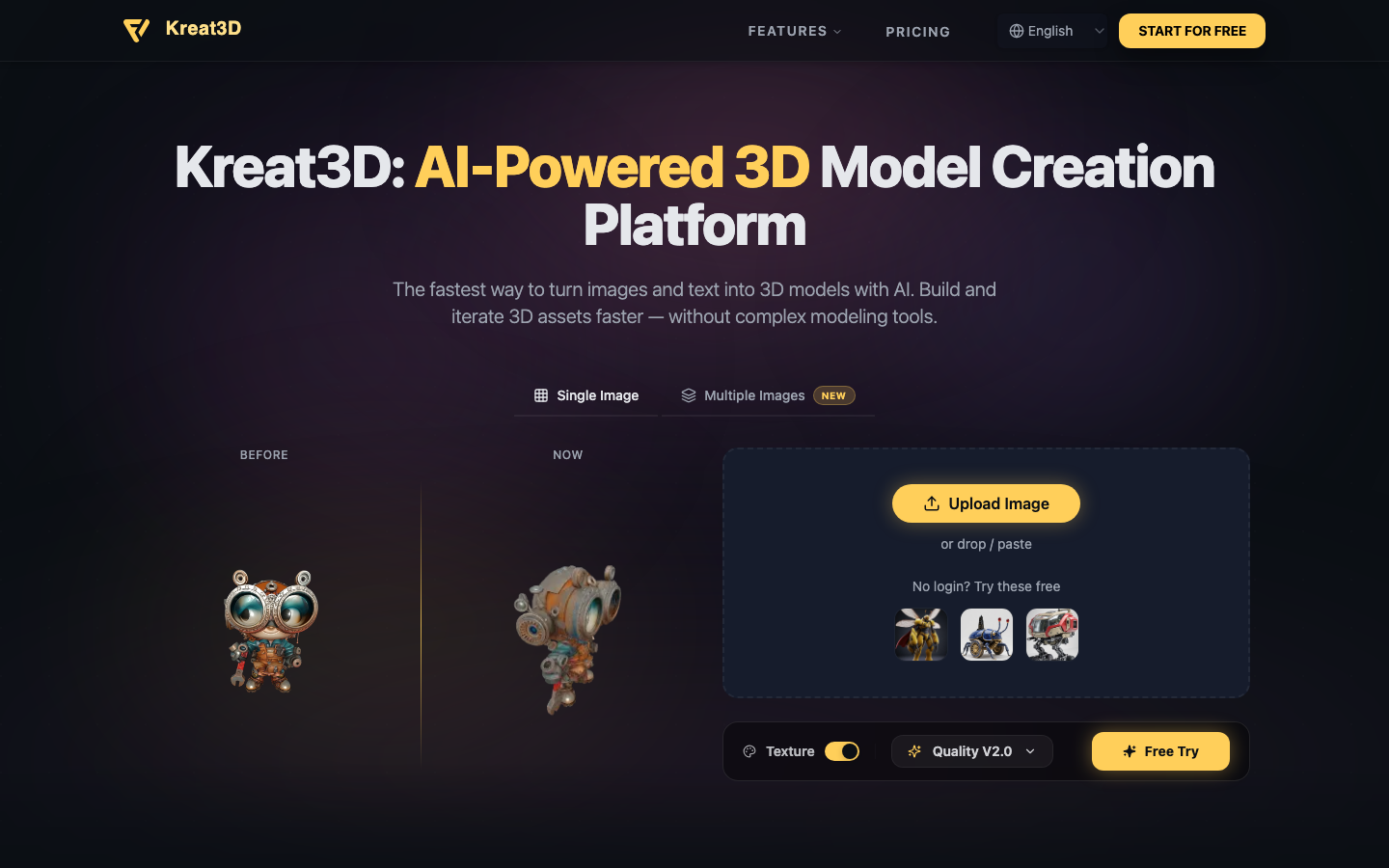
Kreat3D is an AI-powered platform designed for the rapid creation of 3D models. It enables users to transform images and text inputs into 3D assets efficiently, eliminating the need for complex modeling software. The platform supports various generation methods, including single image, multiple images, and text-to-3D, allowing for versatile asset creation. Kreat3D focuses on delivering high-fidelity geometry and textures, with multiple export formats available for seamless integration into different workflows such as game development, AR/VR applications, and 3D printing.

Kreat3D screenshot
Try Kreat3D

Website: kreat3d.io

What is Kreat3D?

Kreat3D is an AI-powered platform designed for the rapid creation of 3D models. It enables users to transform images and text inputs into 3D assets efficiently, eliminating the need for complex modeling software. The platform supports various generation methods, including single image, multiple images, and text-to-3D, allowing for versatile asset creation. Kreat3D focuses on delivering high-fidelity geometry and textures, with multiple export formats available for seamless integration into different workflows such as game development, AR/VR applications, and 3D printing.

At a Glance

Pricing
Not specified
Status
Approved
Platform
Web
Category
AI 3D Tools, AI Writing, Image Generation
Tags
3d-assets, 3d-modeling, ai-generated-content, ar-vr, game-development, image-to-3d, text-to-3d

Why Choose Kreat3D

Image to 3D Model

Convert 2D visuals like images, sketches, or illustrations into detailed 3D models. Kreat3D's AI analyzes shapes and visual cues to quickly bring 2D concepts into a 3D form.

Multi Image to 3D Model

Upload multiple views of an object to generate more accurate and consistent high-fidelity 3D models. This is ideal for creating detailed representations of products or characters.

Text to 3D Model

Describe your desired 3D model using natural language. Kreat3D's AI generates a digital model from your text description, perfect for concept exploration and rapid prototyping.

Multiple Export Formats

Export your generated 3D models in popular formats such as GLB, OBJ, STL, GLTF, USDZ, and PLY, ensuring compatibility with various software and platforms.

High-Fidelity Output

Kreat3D focuses on generating clean geometry and visually rich textures, optimized for practical applications and creative previews, balancing quality for diverse use cases. Kreat3D is an AI-powered platform designed for the rapid creation of 3D models. It enables users to transform images and text inputs into 3D assets efficiently,.

How to Use Kreat3D

  1. 1

    Choose Input Method

    Select whether you want to generate a 3D model from a single image, multiple images, or a text description.

  2. 2

    Provide Input

    Upload your image(s) or type your descriptive text into the designated area on the Kreat3D platform.

  3. 3

    Generate 3D Model

    Initiate the AI generation process and allow Kreat3D to create your 3D asset based on the provided input.

  4. 4

    Export Your Model

    Once generated, choose your desired export format (e.g., GLB, OBJ, STL) and download the 3D model for use in your projects.

Best For

  • Game Development

    Who: Game Developers · Quickly generate 3D assets and props for game environments, accelerating the development cycle with Kreat3D.

  • AR/VR Content Creation

    Who: AR/VR Developers · Create immersive 3D objects and scenes for augmented and virtual reality experiences using AI-generated models from Kreat3D.

  • 3D Printing Prototyping

    Who: Designers and Engineers · Rapidly prototype physical objects by converting designs or concepts into 3D printable models with Kreat3D.

  • Concept Art Visualization

    Who: Concept Artists · Bring 2D concept art to life in 3D, allowing for better visualization and iteration of ideas with Kreat3D.

  • Product Visualization

    Who: E-commerce Businesses · Generate 3D models of products from images for enhanced online listings and interactive customer experiences via Kreat3D.

Frequently Asked Questions About Kreat3D

What types of inputs does Kreat3D accept?

Kreat3D accepts single images, multiple images (for higher fidelity), and natural language text descriptions as inputs for 3D model generation.

What are the available export formats for the 3D models?

You can export your generated 3D models in popular formats including GLB, OBJ, STL, GLTF, USDZ, and PLY.

Can I use the generated 3D models commercially?

The terms for commercial use of models generated by Kreat3D are typically outlined in their terms of service. Please refer to the platform's guidelines for specifics.

Does Kreat3D require complex software installation?

No, Kreat3D is a web-based platform, meaning you can access and use its AI-powered 3D model creation tools directly through your web browser without complex installations.

How does the 'Text to 3D Model' feature work?

The 'Text to 3D Model' feature uses AI to interpret your written description and generate a corresponding 3D model, ideal for creative exploration and conceptualization.

Is there a free trial or free version of Kreat3D?

Kreat3D offers a 'Free Try' option for generating models from images without requiring a login, suggesting accessibility for initial use.

What is the advantage of using multiple images in Kreat3D?

Using multiple images provides the AI with more data and different perspectives, leading to more accurate, consistent, and high-fidelity 3D models compared to single-image generation.