
Sponsored byMixinflow
Video GenerationAI WritingImage GenerationApproved
MakeAIVideo icon

MakeAIVideo

MakeAIVideo is a free online platform that allows users to generate AI

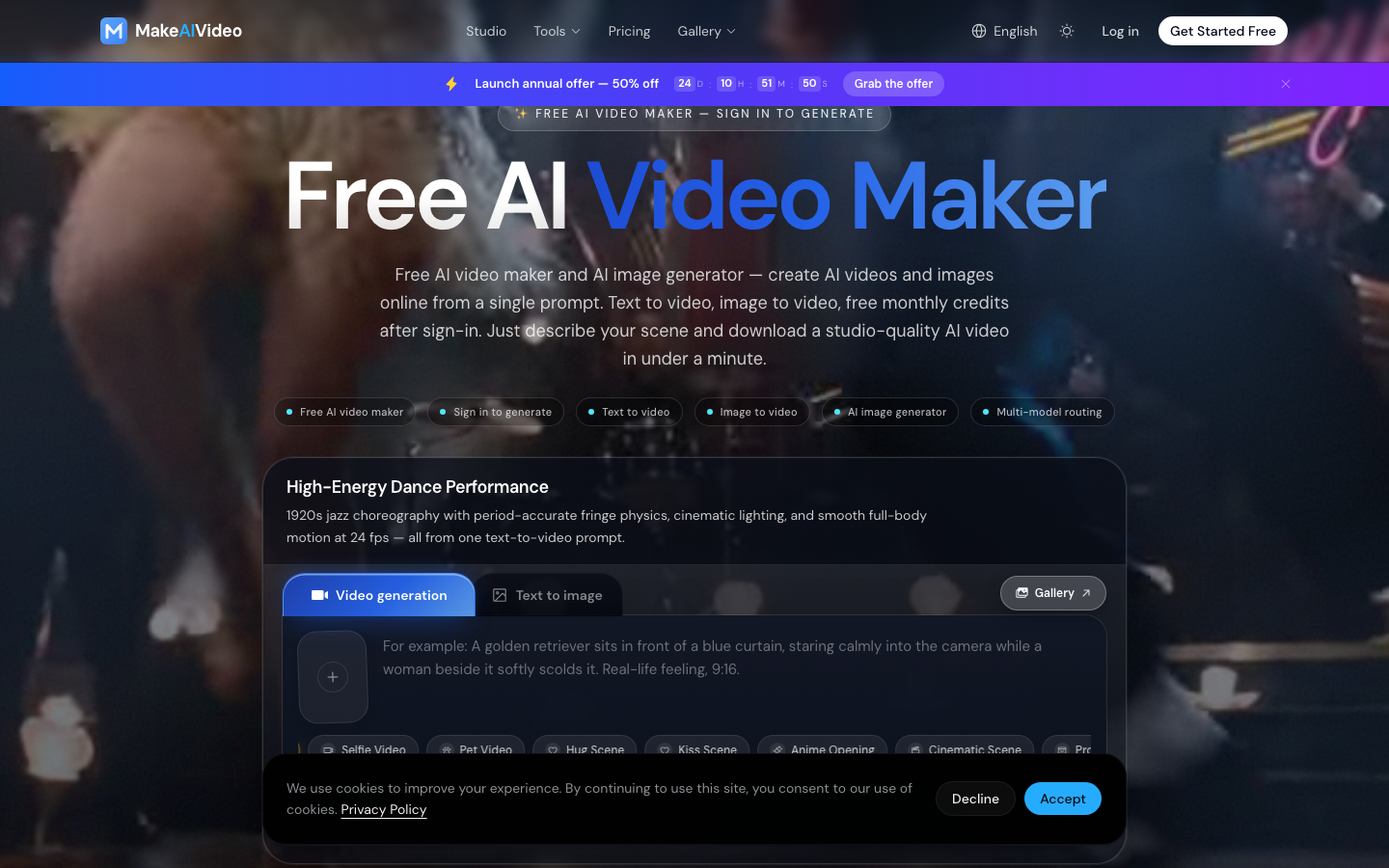
MakeAIVideo is a free online platform that allows users to generate AI videos and AI images from text prompts. It offers text-to-video and image-to-video capabilities, enabling the creation of studio-quality content in seconds. After signing in, users receive free monthly credits to use the service. MakeAIVideo aims to simplify video creation, making it accessible for generating content for ads, e-commerce, and creative projects. Transform written descriptions into dynamic video clips. Simply input your scene details and let MakeAIVideo generate a video based on your prompt. Animate still images by providing a text prompt. This feature allows you to add motion and life to existing visuals, creating engaging video content.

MakeAIVideo screenshot
Try MakeAIVideo

Website: makeaivideo.app

What is MakeAIVideo?

MakeAIVideo is a free online platform that allows users to generate AI videos and AI images from text prompts. It offers text-to-video and image-to-video capabilities, enabling the creation of studio-quality content in seconds. After signing in, users receive free monthly credits to use the service. MakeAIVideo aims to simplify video creation, making it accessible for generating content for ads, e-commerce, and creative projects. Transform written descriptions into dynamic video clips. Simply input your scene details and let MakeAIVideo generate a video based on your prompt. Animate still images by providing a text prompt. This feature allows you to add motion and life to existing visuals, creating engaging video content.

At a Glance

Pricing
Not specified
Status
Approved
Platform
Web
Category
Video Generation, AI Writing, Image Generation
Tags
ai-image-generator, ai-video-maker, free-credits, image-to-video, online-tool, studio-quality, text-to-video

Why Choose MakeAIVideo

Text-to-Video Generation

Transform written descriptions into dynamic video clips. Simply input your scene details and let MakeAIVideo generate a video based on your prompt. MakeAIVideo is a free online platform that allows users to generate AI videos and AI images from text prompts. It offers text-to-video and image-to-video capabilities, enabling.

Image-to-Video Generation

Animate still images by providing a text prompt. This feature allows you to add motion and life to existing visuals, creating engaging video content.

AI Image Generation

Create unique images from text descriptions. This tool allows for the generation of visual assets that can be used independently or as part of video projects.

Free Monthly Credits

New users receive free credits upon signing in, providing an opportunity to explore the capabilities of MakeAIVideo without immediate cost. MakeAIVideo is a free online platform that allows users to generate AI videos and AI images from text prompts. It offers text-to-video and image-to-video capabilities, enabling.

Studio-Quality Output

Generate professional-looking videos and images. MakeAIVideo focuses on delivering high-quality results suitable for commercial and creative applications. MakeAIVideo is a free online platform that allows users to generate AI videos and AI images from text prompts. It offers text-to-video and image-to-video capabilities, enabling.

How to Use MakeAIVideo

  1. 1

    Sign In or Get Started

    Access the MakeAIVideo platform and sign in to your account to access free credits and generation tools.

  2. 2

    Describe Your Scene

    Enter a detailed text prompt describing the video or image you wish to create, including elements like motion, style, and content.

  3. 3

    Generate Your Content

    Initiate the generation process. MakeAIVideo's AI will process your prompt and create the video or image within a short timeframe.

  4. 4

    Download and Use

    Once generated, download your studio-quality AI video or image and utilize it for your projects.

Best For

  • Creating marketing videos

    Who: Marketers and advertisers · Quickly produce engaging video content for ads and e-commerce promotions.

  • Generating visual assets for social media

    Who: Content creators · Produce unique videos and images to enhance social media posts and engagement.

  • Animating static images

    Who: Designers and artists · Add dynamic motion to existing visuals for more captivating presentations or projects.

  • Prototyping video concepts

    Who: Filmmakers and storytellers · Rapidly visualize and create short video sequences based on script ideas.

  • Producing product demonstrations

    Who: E-commerce businesses · Generate professional product hero shots and dynamic transitions for online stores.

Frequently Asked Questions About MakeAIVideo

Is MakeAIVideo free to use?

MakeAIVideo offers a free AI video maker and AI image generator. Users receive free monthly credits upon signing in to create content.

What types of video can I create with MakeAIVideo?

You can create various types of videos, including text-to-video and image-to-video. The platform supports generating content for ads, e-commerce, and creative projects.

How long does it take to generate a video?

MakeAIVideo can generate studio-quality AI videos in seconds or under a minute, depending on the complexity of the prompt and current system load.

Can I use the generated videos for commercial purposes?

Yes, MakeAIVideo aims to produce commercial-grade creative directly from a brief, making the generated videos suitable for ads and e-commerce.

What is the difference between text-to-video and image-to-video?

Text-to-video generates a video from a written description, while image-to-video animates an existing still image based on a text prompt.

Do I need to sign in to use MakeAIVideo?

Signing in is required to generate content and receive free monthly credits. This allows MakeAIVideo to track usage and provide resources.

What kind of prompts work best for MakeAIVideo?

Detailed prompts that describe the scene, including elements like motion, physics, lighting, and specific actions, tend to yield the best results with MakeAIVideo.