Sponsored byMixinflow
Image GenerationAI Image EnhancementApproved
photogenerai icon

photogenerai

PhotoGenerAI is a browser-based AI photo generator that allows users to create

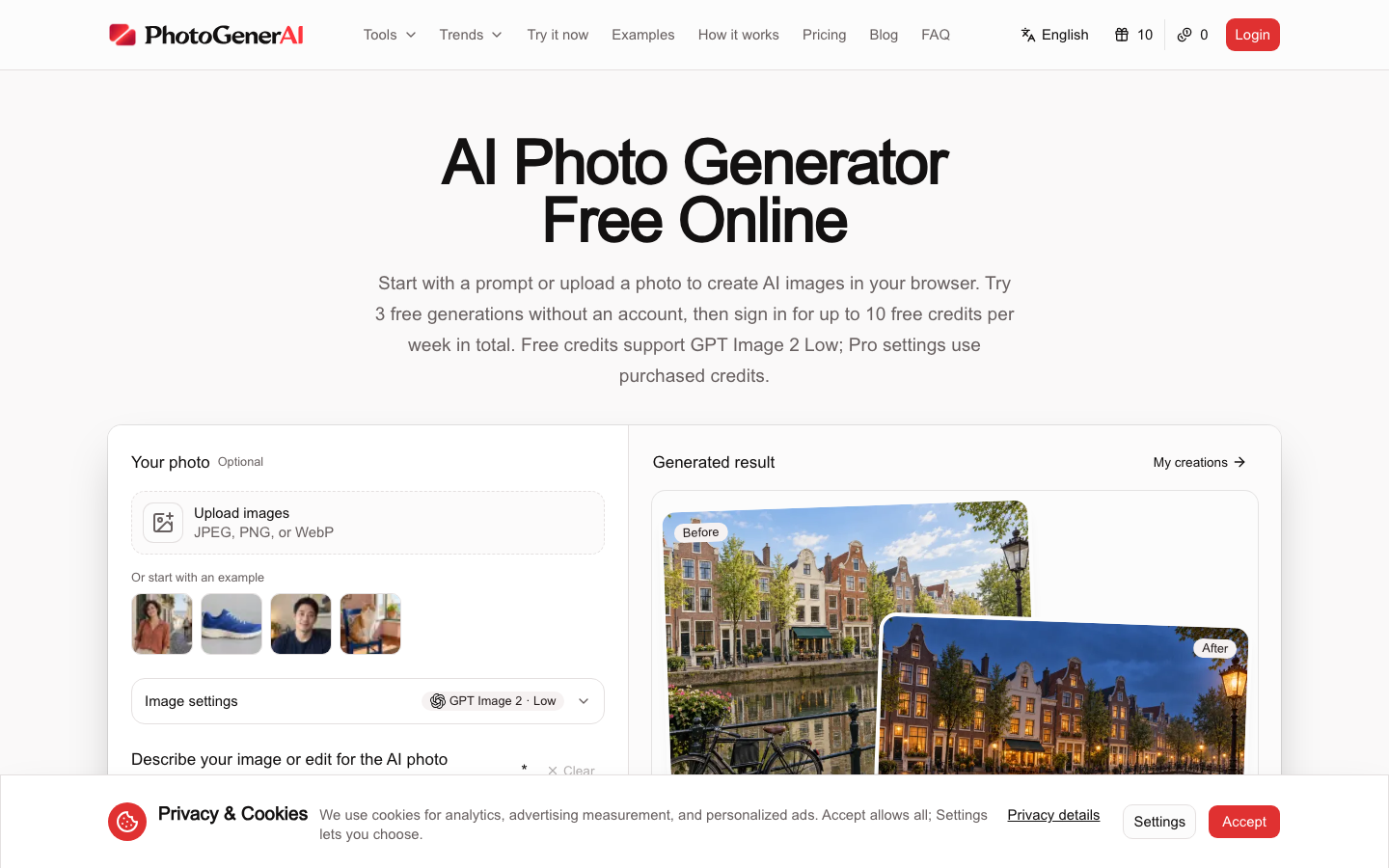
PhotoGenerAI is a browser-based AI photo generator that allows users to create and edit images directly online without downloading software. By simply entering a text prompt or uploading an existing photo, users can generate high-quality visuals, refine lighting, adjust colors, and modify backgrounds instantly. The platform supports multiple advanced AI models, including GPT Image 2, FLUX, and Qwen, ensuring versatile output styles. It offers a straightforward interface where beginners can start with three free generations without signing up, while registered users receive weekly credits for e

photogenerai screenshot
Try photogenerai

Website: photogenerai.com

What is photogenerai?

PhotoGenerAI is a browser-based AI photo generator that allows users to create and edit images directly online without downloading software. By simply entering a text prompt or uploading an existing photo, users can generate high-quality visuals, refine lighting, adjust colors, and modify backgrounds instantly. The platform supports multiple advanced AI models, including GPT Image 2, FLUX, and Qwen, ensuring versatile output styles. It offers a straightforward interface where beginners can start with three free generations without signing up, while registered users receive weekly credits for e

At a Glance

Pricing
Not specified
Status
Approved
Platform
Web
Category
Image Generation, AI Image Enhancement
Tags
ai-photo-generator, browser-based, free-credits, image-editing, photo-enhancement, text-to-image

Why Choose photogenerai

Text-to-Image Generation

Convert detailed written descriptions into complete digital photographs or illustrations using PhotoGenerAI's integrated AI models that interpret style, composition, and atmosphere automatically. PhotoGenerAI is a browser-based AI photo generator that allows users to create and edit images directly online without downloading software. By simply entering a text prompt.

Sketch-to-Realism Conversion

Upload rough drawings or concept art and guide the system to develop them into polished, realistic visuals while preserving original design intent and structural layout.

Multi-Image Composition

Merge subjects, objects, and environments from separate source files into unified scenes by providing clear instructions on how elements should interact within the final frame.

Advanced Photo Editing

Refine existing images by adjusting lighting conditions, correcting color balance, enhancing clarity, and modifying backgrounds without requiring external graphic design software. PhotoGenerAI is a browser-based AI photo generator that allows users to create and edit images directly online without downloading software. By simply entering a text prompt.

Browser-Based Accessibility

Access all generation and editing capabilities directly through a standard web browser, eliminating installation requirements and enabling immediate use across desktop and mobile devices.

How to Use photogenerai

  1. 1

    Select Your Starting Method

    Choose to begin with a fresh text prompt or upload an existing JPEG, PNG, or WebP file to serve as the base image within PhotoGenerAI.

  2. 2

    Configure Model Settings

    Pick from available AI engines like GPT Image 2, FLUX, or Qwen and adjust quality levels to match your desired output resolution and style preferences.

  3. 3

    Define Visual Instructions

    Enter specific details describing colors, lighting, mood, or compositional changes, then click the generate button to process your request through the selected model.

  4. 4

    Review and Refine Results

    Compare the before and after versions, make additional adjustments if needed, and save the final image to your browser session or account library.

Best For

  • Creating marketing visuals for social media campaigns

    Who: Small business owners and freelance marketers · Quickly produce consistent, high-quality product photos and lifestyle imagery without leaving the PhotoGenerAI workspace or hiring professional photographers.

  • Developing interior design mockups

    Who: Architects and home decorators · Transform rough sketches or basic room layouts into realistic renderings that help clients visualize proposed renovations accurately and efficiently.

  • Assembling creative mood boards

    Who: Graphic designers and art directors · Combine disparate reference images into cohesive compositions that effectively communicate color palettes, themes, and atmospheric concepts to project teams.

  • Enhancing personal portrait photography

    Who: Hobbyist photographers and content creators · Automatically correct lighting imbalances, remove distracting backgrounds, and sharpen details to achieve professional-grade results directly in the browser.

Frequently Asked Questions About photogenerai

Do I need to install software to use this tool?

No, PhotoGenerAI runs entirely in your web browser, allowing you to generate and edit images on any device without downloads or installations.

How many free generations are available?

New visitors can try three free generations without creating an account. Registered users receive up to ten free credits per week, with additional credits available for purchase.

Which AI models power the image generation?

The platform integrates several advanced models including GPT Image 2, Nano Banana 2, FLUX, and Qwen, giving users flexibility in style and processing speed.

Can I combine elements from different photos?

Yes, you can upload multiple images and provide instructions to merge subjects, objects, and settings into a single, cohesive composition.

What file formats are supported for uploads?

The tool accepts standard image formats including JPEG, PNG, and WebP for both initial uploads and subsequent editing workflows.

Is there a limit to image resolution?

Output quality depends on the selected model tier and credit type. Standard generations use lower resolution settings, while pro settings unlock higher fidelity outputs.