Sponsored byMixinflow
Video GenerationAI Video EditingApproved
VO3 AI® Official Site icon

VO3 AI® Official Site

VO3 AI is a comprehensive AI video creation platform designed to help

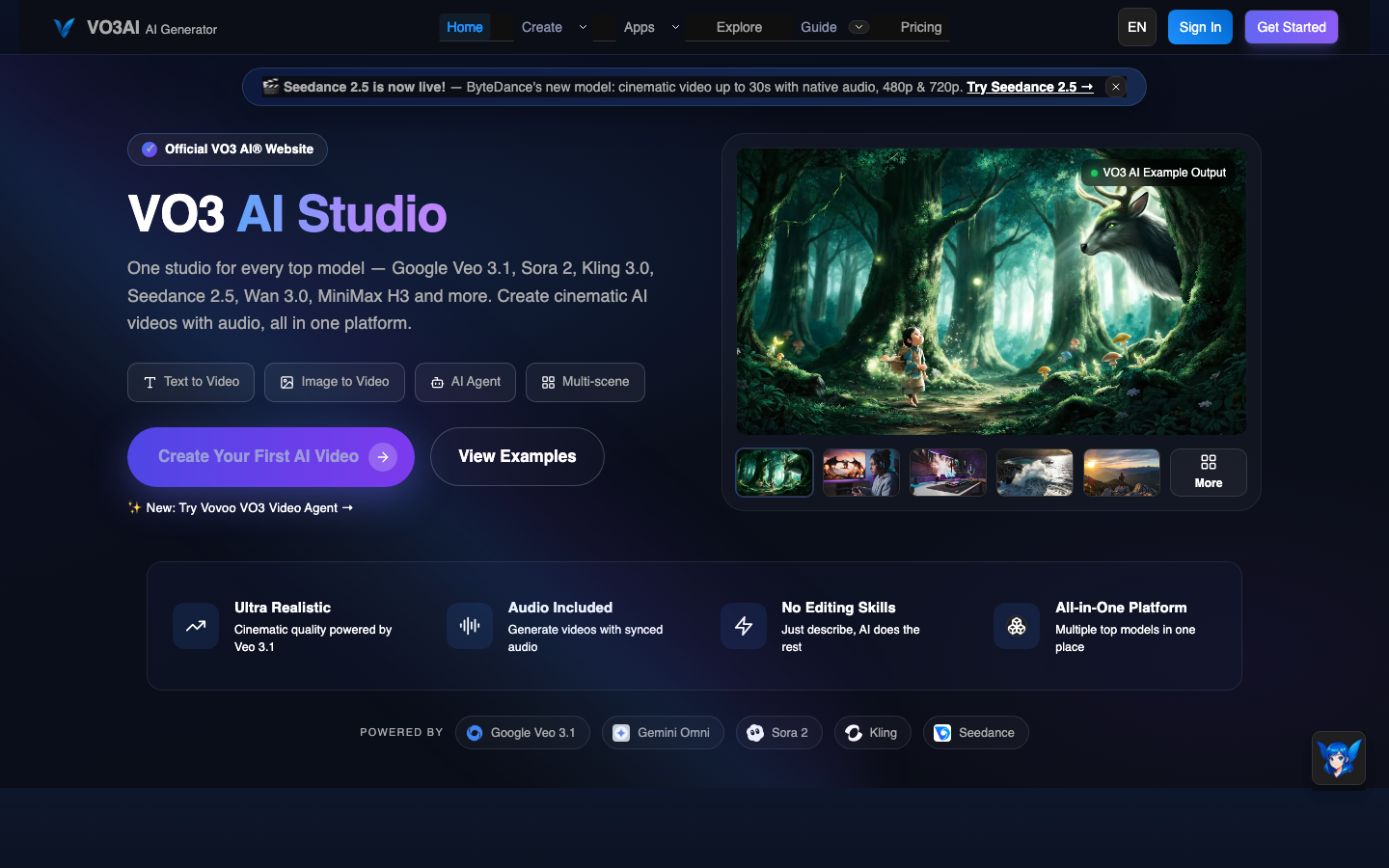
VO3 AI is a comprehensive AI video creation platform designed to help creators generate, edit, and scale high-quality video content effortlessly. Acting as an all-in-one studio, it integrates multiple leading generative models such as Google Veo 3.1, Sora 2, Kling 3.0, Seedance 2.5, and Wan 3.0 into a single unified workflow. Users can transform simple text prompts or static images into cinematic videos complete with synchronized native audio. The platform eliminates the need for traditional editing software by automating complex production steps through smart prompt optimization, batch proces

VO3 AI® Official Site screenshot
Try VO3 AI® Official Site

Website: vo3ai.com

What is VO3 AI® Official Site?

VO3 AI is a comprehensive AI video creation platform designed to help creators generate, edit, and scale high-quality video content effortlessly. Acting as an all-in-one studio, it integrates multiple leading generative models such as Google Veo 3.1, Sora 2, Kling 3.0, Seedance 2.5, and Wan 3.0 into a single unified workflow. Users can transform simple text prompts or static images into cinematic videos complete with synchronized native audio. The platform eliminates the need for traditional editing software by automating complex production steps through smart prompt optimization, batch proces

At a Glance

Pricing
Not specified
Status
Approved
Platform
Web
Category
Video Generation, AI Video Editing
Tags
ai-video-generator, batch-generation, cinematic-video, multi-model-platform, native-audio, text-to-video, vovoo-agent

Why Choose VO3 AI® Official Site

Multi-Model Integration

Access top-tier generative engines including Google Veo 3.1, Sora 2, Kling 3.0, and Seedance 2.5 within a single VO3 AI dashboard without switching platforms or managing separate subscriptions.

Native Audio Synthesis

Generate fully synchronized background music, sound effects, and voiceovers directly alongside visual content, ensuring professional audio-visual alignment without requiring external editing tools inside VO3 AI.

Smart Prompt Optimization

Automatically refine and expand basic input descriptions into detailed cinematic prompts, improving output quality and reducing the trial-and-error process when working with VO3 AI.

Batch Generation & Scene Splitting

Produce multiple video variations simultaneously or divide long concepts into distinct scenes, streamlining content scaling and maintaining narrative consistency across clips generated by VO3 AI.

AI Video Agent Support

Utilize an intelligent assistant that autonomously plans production workflows, selects optimal models, writes precise prompts, and helps polish final results for maximum impact within VO3 AI.

How to Use VO3 AI® Official Site

  1. 1

    Access the Studio Interface

    Navigate to the official website and log in to open the centralized VO3 AI dashboard where all generation tools are located.

  2. 2

    Input Your Creative Concept

    Type a descriptive text prompt or upload a reference image into the designated field to establish the visual theme and subject matter.

  3. 3

    Configure Model Settings

    Select your preferred generative engine from the available options and adjust parameters like duration, resolution, and audio synchronization preferences.

  4. 4

    Generate and Refine Output

    Click the create button to produce the initial video, then use the built-in editor or Vovoo agent to tweak pacing, transitions, and audio tracks.

Best For

  • Social media marketing campaigns

    Who: Digital marketers and brand managers · Rapidly produce engaging short-form video ads with consistent branding and native audio to boost audience retention using VO3 AI.

  • Educational course material development

    Who: Online instructors and e-learning creators · Transform written lesson plans into dynamic visual tutorials without hiring expensive video production teams, leveraging VO3 AI for quick turnaround.

  • Independent film prototyping

    Who: Filmmakers and storyboard artists · Quickly visualize complex scenes and camera movements using multi-scene generation to pitch ideas to investors efficiently with VO3 AI.

  • E-commerce product showcases

    Who: Retail store owners and dropshippers · Create realistic lifestyle videos featuring products in various settings to increase conversion rates on storefronts through VO3 AI automation.

Frequently Asked Questions About VO3 AI® Official Site

What types of inputs does VO3 AI accept for video generation?

The platform supports both text-to-video and image-to-video workflows, allowing users to start with written descriptions or uploaded reference pictures.

Does the generated video include synchronized sound?

Yes, VO3 AI natively produces audio tracks, including dialogue, music, and sound effects, perfectly timed with the visual output.

How does the Vovoo agent improve the creation process?

Vovoo acts as an intelligent assistant that structures your project, writes optimized prompts, chooses the best model, and assists in post-production refinement.

Can I generate multiple video versions at once?

Absolutely, the batch generation feature lets you run several variations simultaneously to compare styles, pacing, and compositions quickly.

Is advanced editing experience required to use this tool?

No, the interface is designed for all skill levels by automating technical steps and providing intuitive controls for adjustments.

Which AI models are currently supported on the platform?

Users can access a rotating selection of industry-leading engines including Google Veo 3.1, Sora 2, Kling 3.0, Seedance 2.5, and Wan 3.0.